
| Bookmark Name | Actions |
|---|
Deleting a Tenant by using Servlet
The tenant management servlet allows editing tenant definition property set.
Procedure
- Open the URL below:
http://xxxxx/TAFJConfiguration/tenant.xhtml
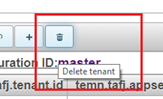
- Click Delete tenant.

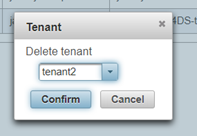
- Select the tenant ID you want to delete from the dialog box and click Confirm.

- Repeat the above steps for all tenants.
Tenants are not effectively deleted yet, even though the changes are visible in the table. The tenant status is pending change and modifications can still be reverted.

- Optional: If you want to revert the modifications, then click the Reload tenants button.
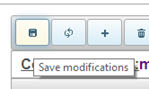
- Click Save modifications.

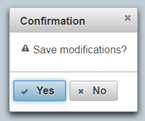
- Click Yes to confirm the changes.

Deleting a tenant doesn’t delete the underlined tenant configuration since a tenant definition can be used in multiple system configurations. It simply removes the tenant definition from the available participants list of the configuration where the deletion has been performed.
NOTE: System must be restarted after configuration change, if it is already running.
Add Bookmark
save your best linksView Bookmarks
Visit your best links BACK
BACK


Are you sure you want to log-off?