| Bookmark Name | Actions |
|---|
Assigning Roles to a Tenant
This section shows you how to assign a role to a tenant in order to perform business activities.
Procedure
- Open the following URL to access the tenant management servlet:
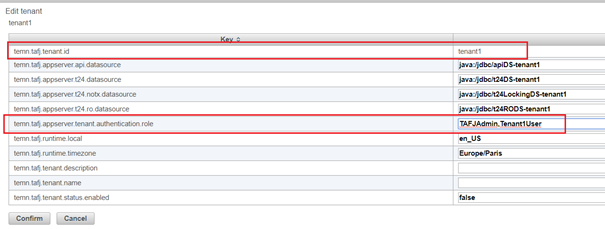
- Edit each tenant and add appropriate role.NOTE: You can set multiple roles to a tenant. To set multiple roles, you need to specify the roles by specifying a comma (,).
- Click Confirm and save the modifications to apply the configuration changes.
- Create new users for each tenant and set TAFJUser as a role for each user. Also, add respective tenant roles for each user.
For example, defining the following roles for JBoss - WildFly:
tafj=TAFJAdmin,guest
t1user=TAFJUser,Tenant1User
t2user=TAFJUser,Tenant2User
For more information on JBoss user management, see JBoss addUser utility.
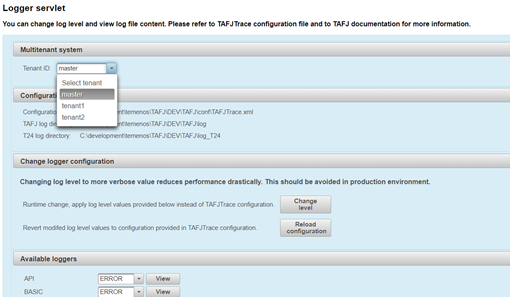
In this case, the tafj user is assigned the TAFJAdmin role. This specifies that the tafj user can access all tenants, all configuration and management operations as demonstrated above, including the master logs and change log level configuration.

Whereas, the specific tenant users t1user and t2user can only access their respective tenants within a restricted subset of operations under TAFJEE (no access to monitors, configuration and management sections).
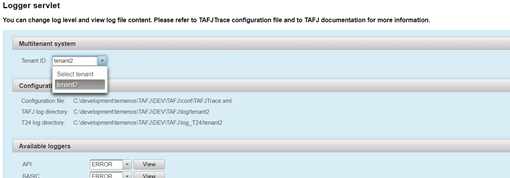
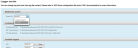
In the above configuration, Logger servlet for t2user is assigned Tenant2User and TAFJUser. This specifies that t2user can access tenant2 logs only and as a TAFJUser it cannot change any log level configuration.
Add Bookmark
save your best linksView Bookmarks
Visit your best links BACK
BACK


Are you sure you want to log-off?