| Bookmark Name | Actions |
|---|
Configuring RR.PARAM
You must perform a number of steps to configure and use RR.PARAM.
Procedure
-
Replicate application F.USER using RR.PARAM.
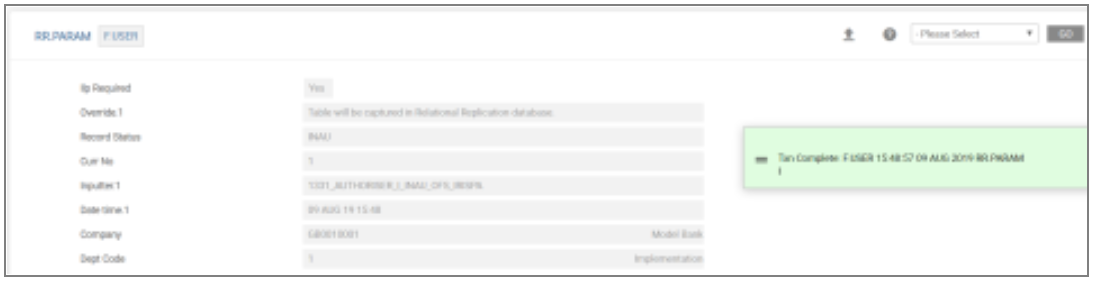
-
Authorise the record.
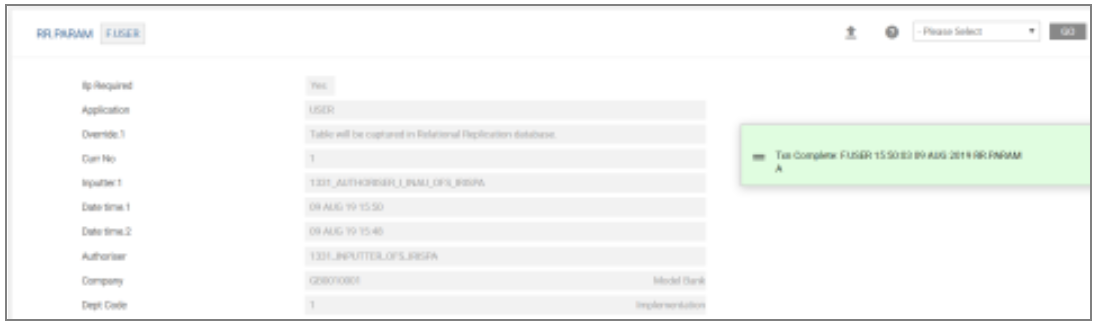
-
In RR.XSD.EVENTS verify the record.

-
Note that the fieldinputlen value for the PASSWORD field has been updated to 150 automatically. This value comes from the RR.OVERRIDE.PARAMETER table.
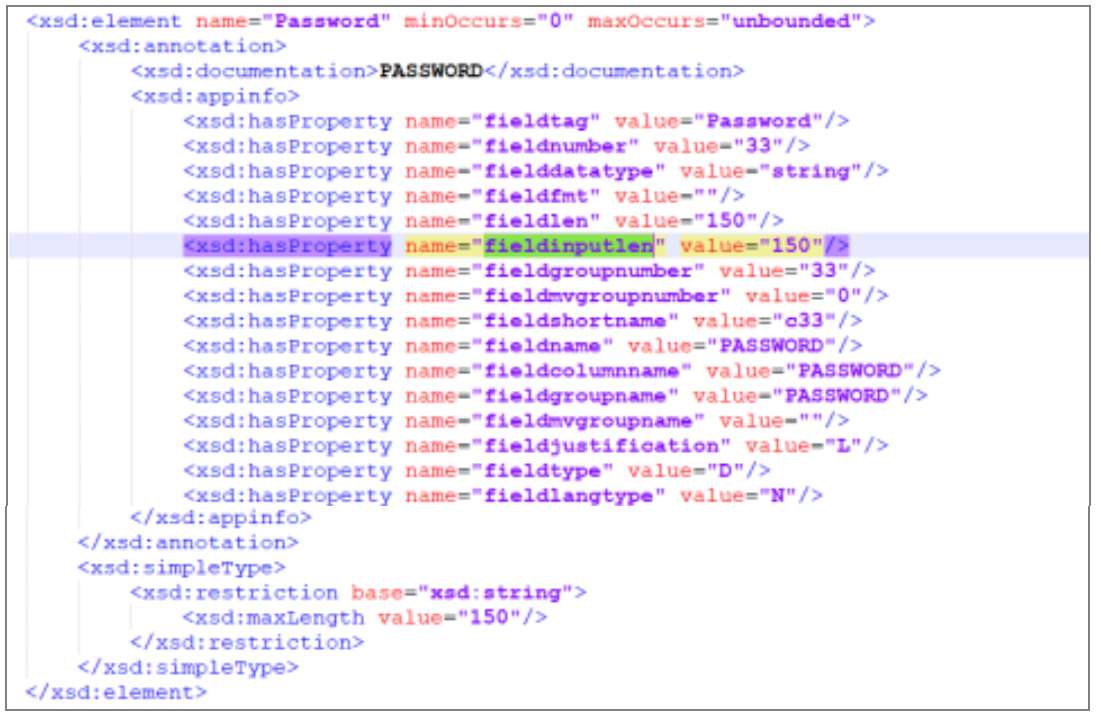
-
Start the artefacts.
Note that the PASSWORD column length is defined as 150.
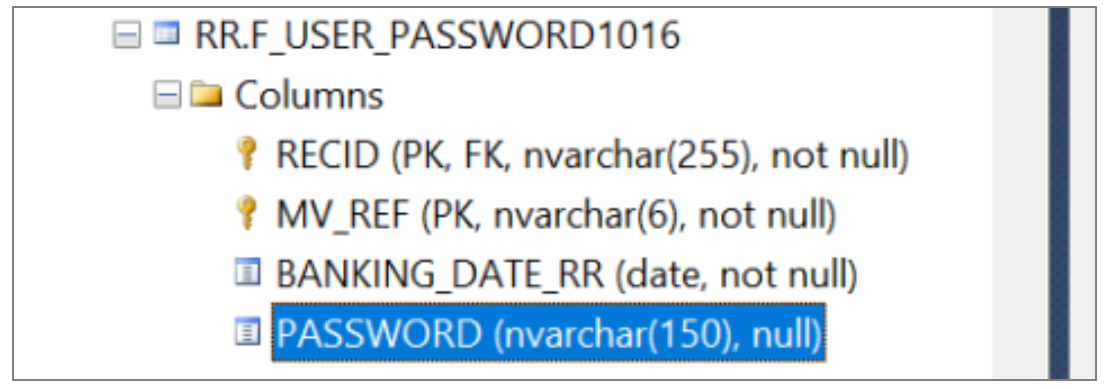
Add Bookmark
save your best linksView Bookmarks
Visit your best links BACK
BACK


Are you sure you want to log-off?