| Bookmark Name | Actions |
|---|
Delete Operation
In Trickle feed mechanism, data from Temenos Transact LIVE database are moved to DLM without retention period. If a Temenos Transact record is deleted, its DLM counterpart must be deleted as well. However, you cannot delete records from DLM directly, since it is a RO database. To delete respective records in DLM, you need to capture the deleted IDs in DLM.DELETE.PROCESS.LIST file and execute the DLM.DELETE.PROCESS service. This section provides details about the records deletion process in DLM.
You can delete the records of any DLM enabled application. The deletion process is explained with an example scenario of deleting a record from DE.I.HEADER.
Data Movement to RO
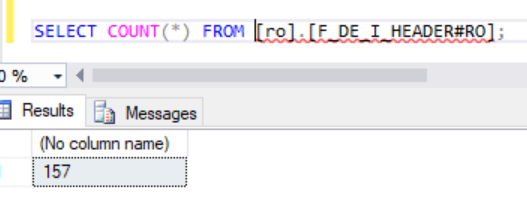
All the DE.I.HEADER application records are moved to DLM table through Trickle feed process.
Service Execution to Delete Records
DE.EOP.INWARD is an existing Temenos Transact archive service for DE.I.HEADER, which will delete the records in DE.I.HEADER as per the date configured in the Data field in the DE.EOP.INWARD BATCH record
The following screen captures show the service configuration and execution, respectively.


The following screen capture shows the deleted records captured in DLM.DELETE.PROCESS.LIST.

Finally, you need to execute DLM.DELETE.PROCESS to delete the records in DLM.

All the record IDs, which are captured in DLM.DELETE.PROCESS.LIST are deleted by the DLM.DELETE.PROCESS service

Add Bookmark
save your best linksView Bookmarks
Visit your best links BACK
BACK


Are you sure you want to log-off?