| Bookmark Name | Actions |
|---|
Updating Temenos Transact libraries
Read this section to know how to update Temenos Transact libraries in TAFC and TAFJ environment.
For TAFC
- Open jshell.
- Run the below command.
jsh --> temp.release path/t24bin/eb_upgrade/T24.BUILD.LIBRARIES
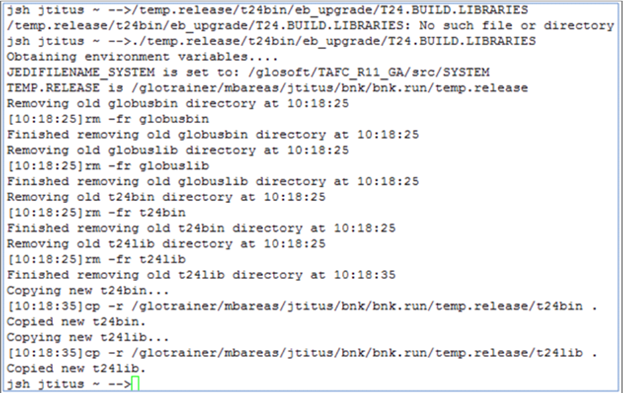
- Log off and login in the account. This will replace the executable directories and release the programs that are stored in the memory.
For TAFJ
- Launch DBtools under the TAFJ_HOME/bin directory to start the Temenos Transact library and binary upgrade process. NOTE:
Set JAVA_HOME, TAFJ_HOME and ECLIPSE_HOME before executing DBtools.
- Use the below syntax and run the command.
DBtools [options] TEMP-RELEASE (pathToTempRelease) (pathToPrecompiledDestinationFolder) (-i pathToInsertDestinationFolder) (-bp pathToSrcDestinationFolder)
Where options can be:
–s (script mode)
-log (log filename) (Log file gets generated under TAFJ_HOME/log)
-cf (Configuration filename)
For example:
DBtools –u t24user –p password –cf tafj.properties –s –log tmprelease TEMP-RELEASE C:\T24Upgrade\201812.TAFJ201812.1.temp.release\temp.releaseC:\UTP\R18DEV\Temenos\t24home\default\JARS –bp C:\UTP\R18DEV\Temenos\t24home\default\BP
NOTE:In the TEMP-RELEASE syntax, there should not be any space between file names or folder names.
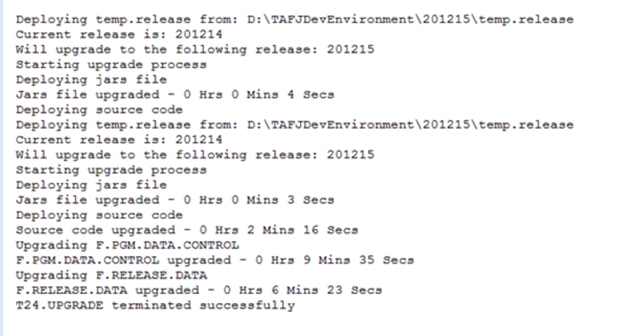
- Check the tmprelease.log from the TAFJ_HOME/log directory.
Add Bookmark
save your best linksView Bookmark
Visit your best links BACK
BACK


Are you sure you want to log-off?