| Bookmark Name | Actions |
|---|
ATM Interface - Isolistener Installation Guide
The reader of this document should have fair knowledge in Java / Jboss
This document explains about the Jboss configuration for the DCP ATM/POS interface plug-in in TAFJ.
Prerequisites
- TOCFEE.EAR.
- TAFJJEE_EAR.ear.
- isolistener.jar.
TAFJEE.EAR should be configured (with all Temenos Transact setups) in Jboss as per the document TAFJ-AS Jboss Install v8.pdf.
Configuring the TOCFEE.ear
Follow the steps below to configure the TOCFEE.ear.
 TCS Plugin Configuration
The tocfplugin-ra.rar is the file which contains the tcserver as plug-in. we have to deploy our local listener inside this rar file.
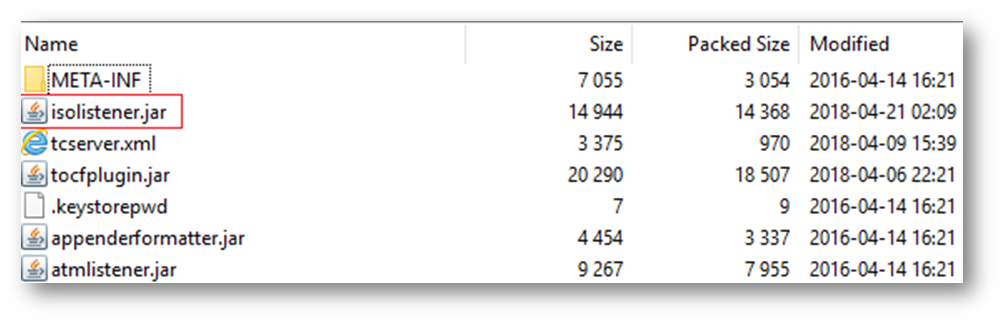
- Place isolistener.jar file inside tocfee.ear\tocfplugin-ra.rar.
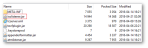
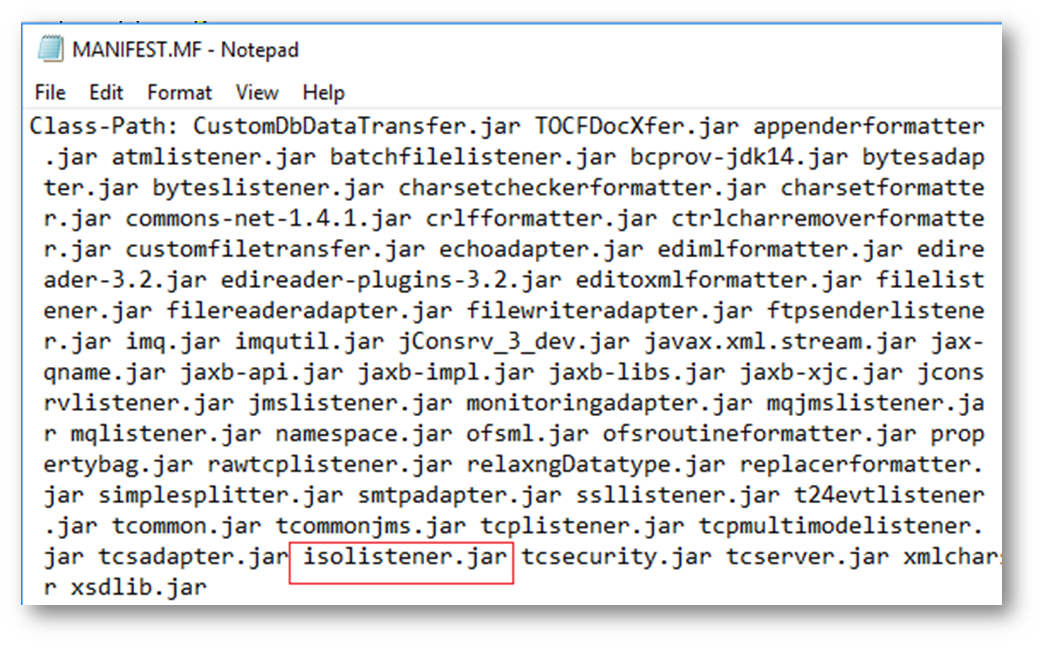
- Amend the MANIFEST.MF file under tocfee.ear>tocfplugin-ra.rar>META-INF and tocfee.ear>tocfplugin-ra.rar> tocfplugin.jar>META-INF to include the name “isolistener.jar” (without quotes).

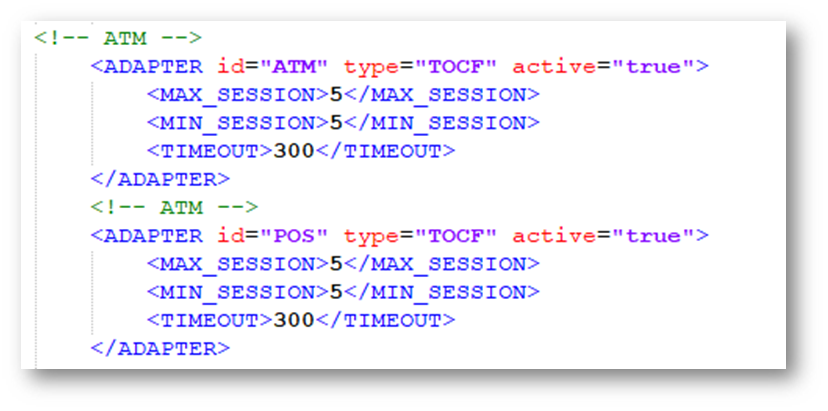
- Amend the tcserver.xml file as shown below which will be available under tocfee.ear>tocfplugin-ra.rar.

- Create the Adapters for ATM and POS inside the ADAPTERS tag as shown below.
- Copy the tags from <ADAPTER>to</ADAPTER> and edit the values highlighted below with corresponding adapter details.
<ADAPTER id="ATM" type="TOCF" active="true">
<MAX_SESSION>5</MAX_SESSION>
<MIN_SESSION>5</MIN_SESSION>
<TIMEOUT>300</TIMEOUT>
</ADAPTER>
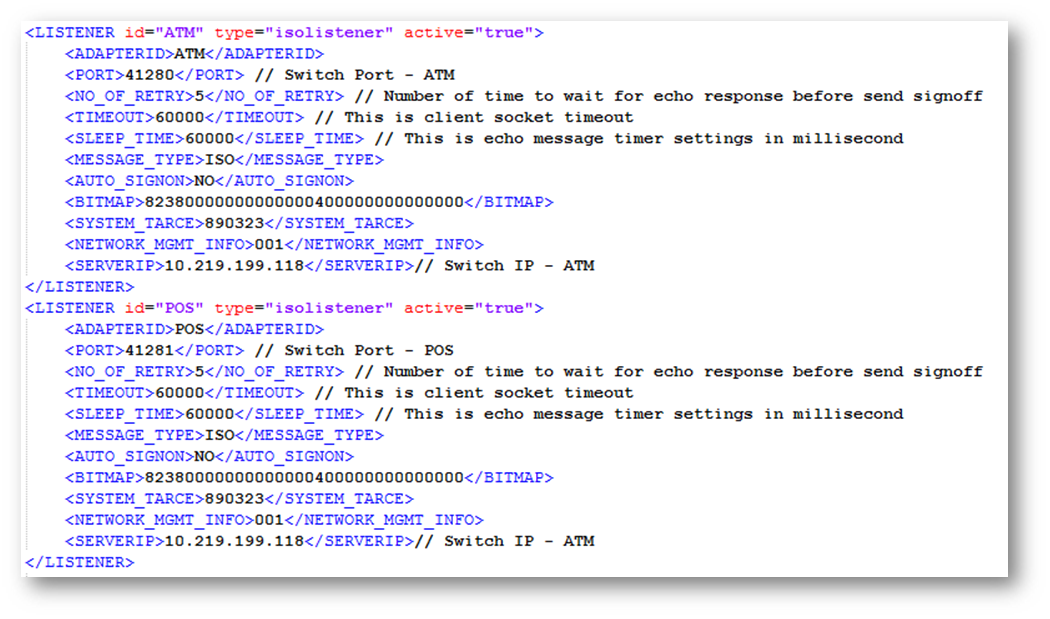
- Create the Listeners for ATM and POS inside the LISTENERS tag as shown below.

- Copy the tags from <LISTENER>to</ LISTENER > and edit the values highlighted below with corresponding listener details
<LISTENER id="ATM" type="isolistener" active="true">
<ADAPTERID>ATM</ADAPTERID>
<PORT>41280</PORT> // Switch Port - ATM
<NO_OF_RETRY>5</NO_OF_RETRY> // Number of time to wait for echo response before send signoff
<TIMEOUT>60000</TIMEOUT> // This is client socket timeout
<SLEEP_TIME>60000</SLEEP_TIME> // This is echo message timer settings in millisecond
<MESSAGE_TYPE>ISO</MESSAGE_TYPE>
<AUTO_SIGNON>NO</AUTO_SIGNON>
<BITMAP>82380000000000000400000000000000</BITMAP>
<SYSTEM_TARCE>890323</SYSTEM_TARCE>
<NETWORK_MGMT_INFO>001</NETWORK_MGMT_INFO>
<SERVERIP>172.30.66.17</SERVERIP>// Switch IP - ATM
</LISTENER>
- Listener name:
- ATM.
- POS.
- Type:
- isolistener.
- PORT- this is the port on DCP Switch. The port numbers given below are only samples.
- 41280– port used for ATM.
- 41281– port used for POS.
- SERVERIP – This is the IP on DCP Switch. The IP given above is sample only.
Create the Message-Driven Bean (tocflistener-ejb.jar)
Follow the steps below to create the message-driven bean (tocflistener-ejb.jar).
ejb-jar.xml
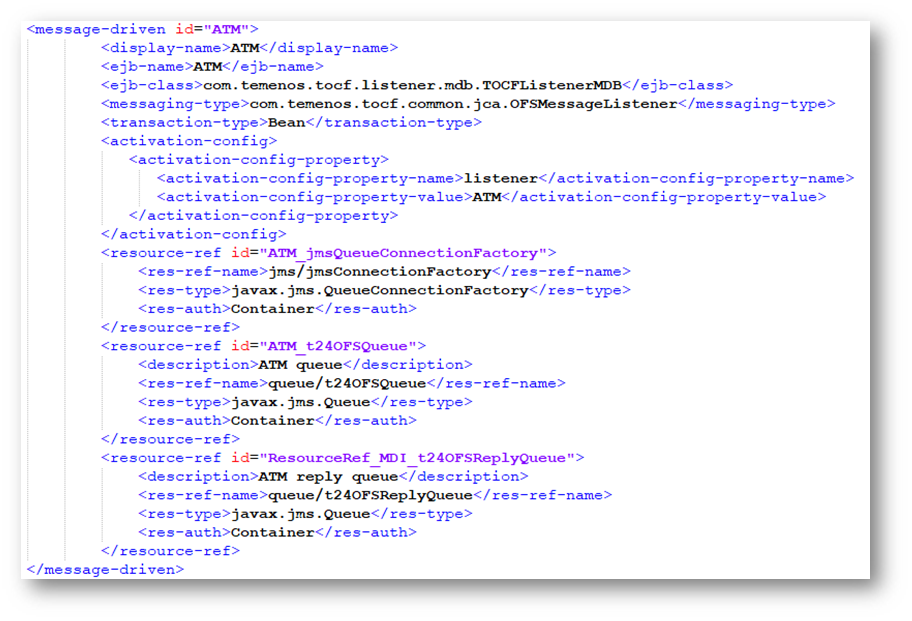
- Edit the ejb-jar.xml present inside tocfee.ear\tocflistener-ejb.jar\META-INF\, as shown below.
- EJB name can be set as required, but please note that the same ejb-name has to be specified everywhere.


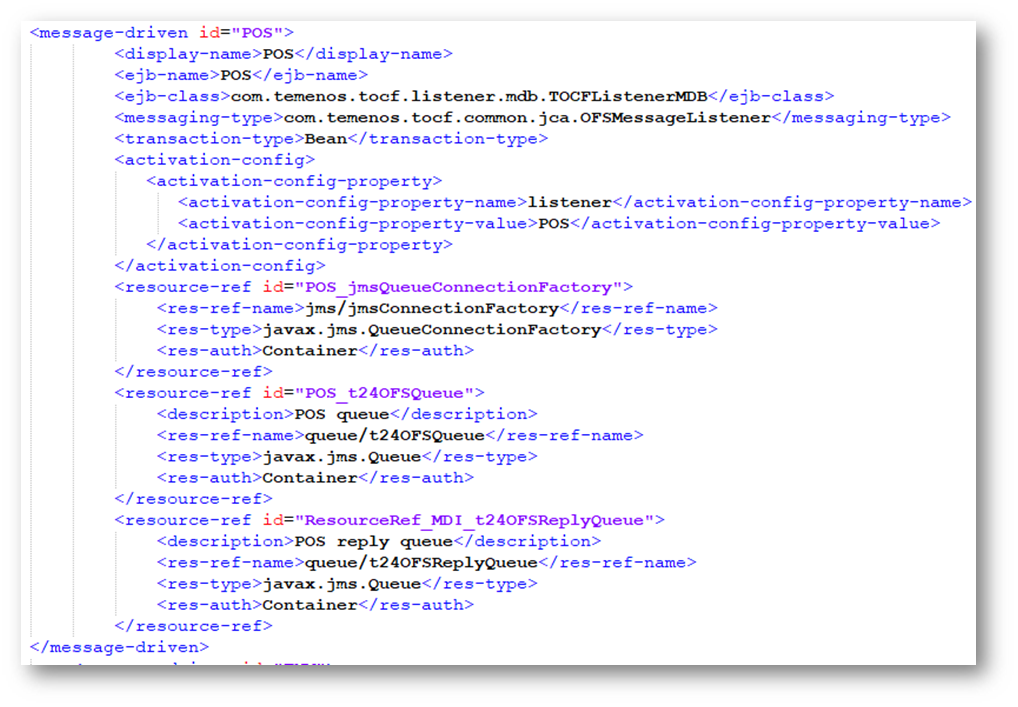
- Copy the tags from <message-driven> to </message-driven> and edit the values as highlighted below.
<message-driven id="ATM">
<display-name>ATM</display-name>
<ejb-name>ATM</ejb-name>
<ejb-class>com.temenos.tocf.listener.mdb.TOCFListenerMDB</ejb-class>
<messaging-type>com.temenos.tocf.common.jca.OFSMessageListener</messaging-type>
<transaction-type>Bean</transaction-type>
<activation-config>
<activation-config-property>
<activation-config-property-name>listener</activation-config-property-name>
<activation-config-property-value>ATM</activation-config-property-value>
</activation-config-property>
</activation-config>
<resource-ref id="ATM_jmsQueueConnectionFactory">
<res-ref-name>jms/jmsConnectionFactory</res-ref-name>
<res-type>javax.jms.QueueConnectionFactory</res-type>
<res-auth>Container</res-auth>
</resource-ref>
<resource-ref id="ATM_t24OFSQueue">
<description>ATM queue</description>
<res-ref-name>queue/t24OFSQueue</res-ref-name>
<res-type>javax.jms.Queue</res-type>
<res-auth>Container</res-auth>
</resource-ref>
<resource-ref id="ATM_t24OFSReplyQueue">
<description>ATM reply queue</description>
<res-ref-name>queue/t24OFSReplyQueue</res-ref-name>
<res-type>javax.jms.Queue</res-type>
<res-auth>Container</res-auth>
</resource-ref>
</message-driven>
jboss-ejb3.xml
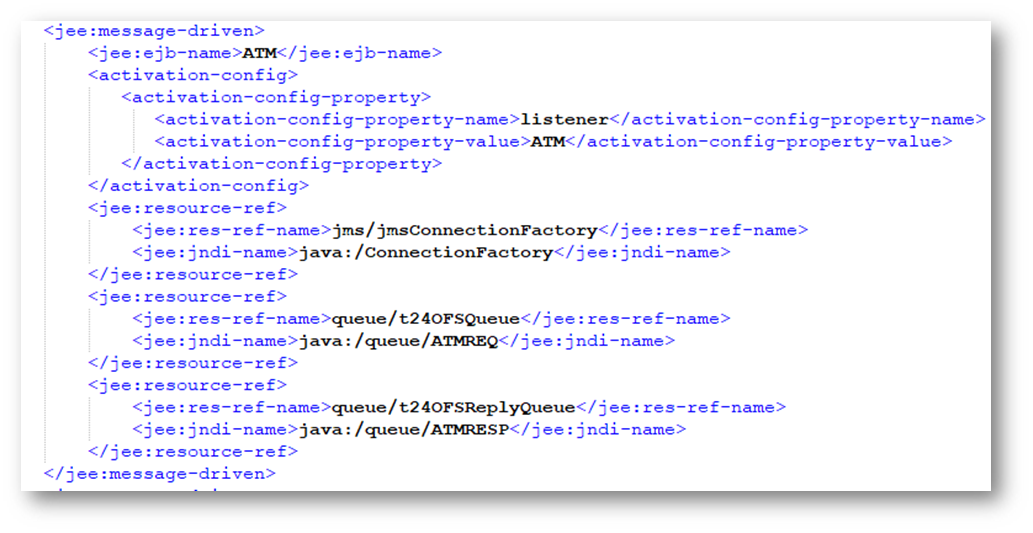
- Edit the Jboss-ejb3.xml present inside tocfee.ear\tocflistener-ejb.jar\META-INF\, as shown below.


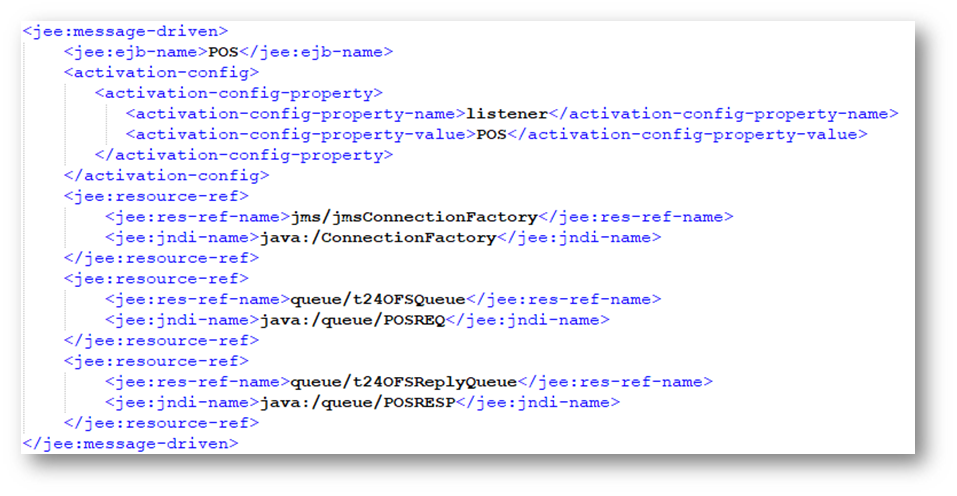
- Set the jndi names of connection factory and queues as created in the Jboss once configured this
- Specify the same ejb name which is specified in ejb-jar.xml.
- Add the below configuration under assembly-descriptor tags.
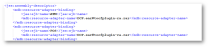
<jee:message-driven>
<jee:ejb-name>ATM</jee:ejb-name>
<activation-config>
<activation-config-property>
<activation-config-property-name>listener</activation-config-property-name>
<activation-config-property-value>ATM</activation-config-property-value>
</activation-config-property>
</activation-config>
<jee:resource-ref>
<jee:res-ref-name>jms/jmsConnectionFactory</jee:res-ref-name>
<jee:jndi-name>java:/ConnectionFactory</jee:jndi-name>
</jee:resource-ref>
<jee:resource-ref>
<jee:res-ref-name>queue/t24OFSQueue</jee:res-ref-name>
<jee:jndi-name>java:/queue/ATMREQ</jee:jndi-name>
</jee:resource-ref>
<jee:resource-ref>
<jee:res-ref-name>queue/t24OFSReplyQueue</jee:res-ref-name>
<jee:jndi-name>java:/queue/ATMRESP</jee:jndi-name>
</jee:resource-ref>
</jee:message-driven>
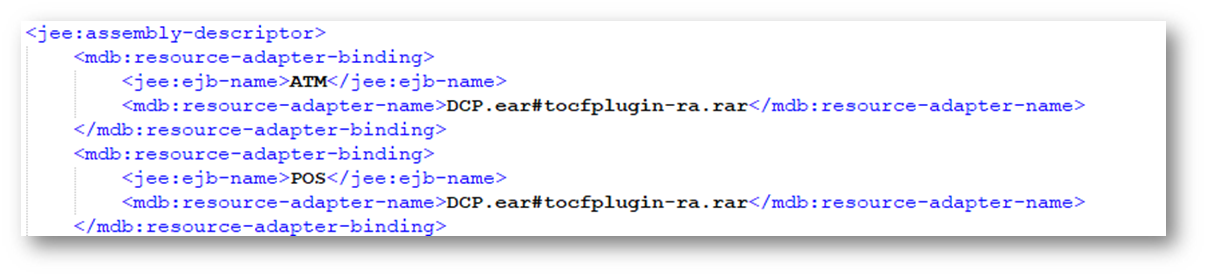
<mdb:resource-adapter-binding>
<jee:ejb-name>ATM</jee:ejb-name>
<mdb:resource-adapter-name>tocfee.ear#tocfplugin-ra.rar</mdb:resource-adapter-name>
</mdb:resource-adapter-binding>
Create the Message-Driven Bean (tocfOFSmessage-ejb.jar)
Follow the steps below to create the message-driven bean (tocfOFSmessage-ejb.jar).
ejb-jar.xml
- Edit the ejb-jar.xml present inside tocfee.ear\ tocfOFSmessage-ejb.jar\META-INF\, as shown below
- EJB name can be set as required, but please note that the same ejb-name has to be specified everywhere.


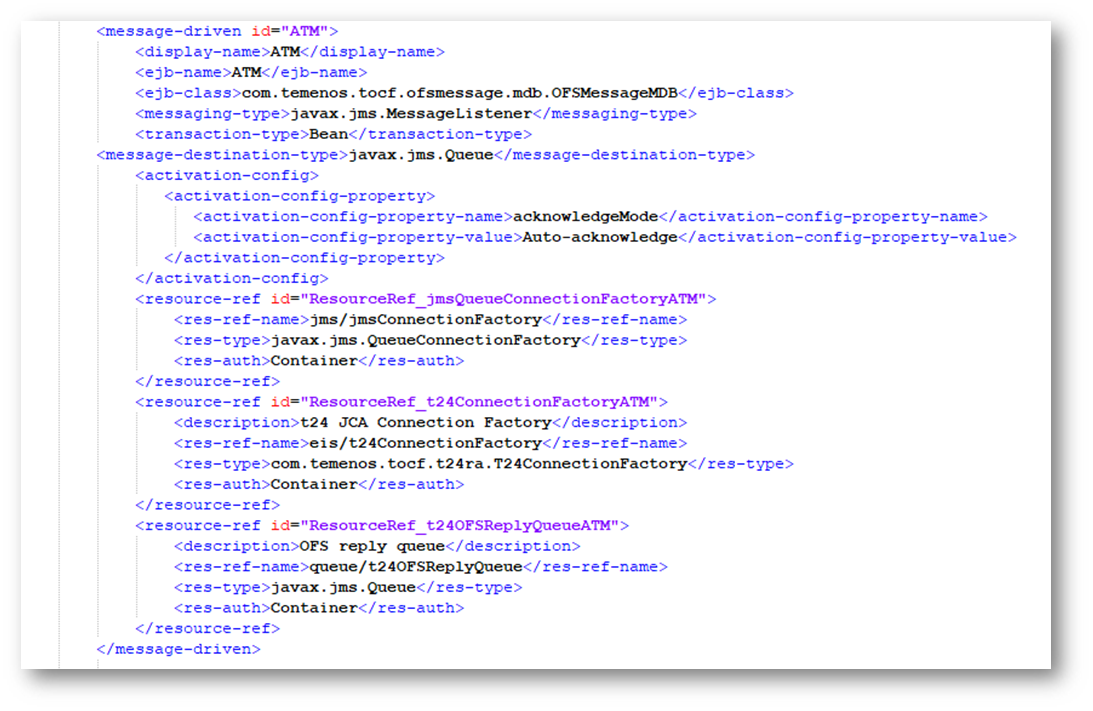
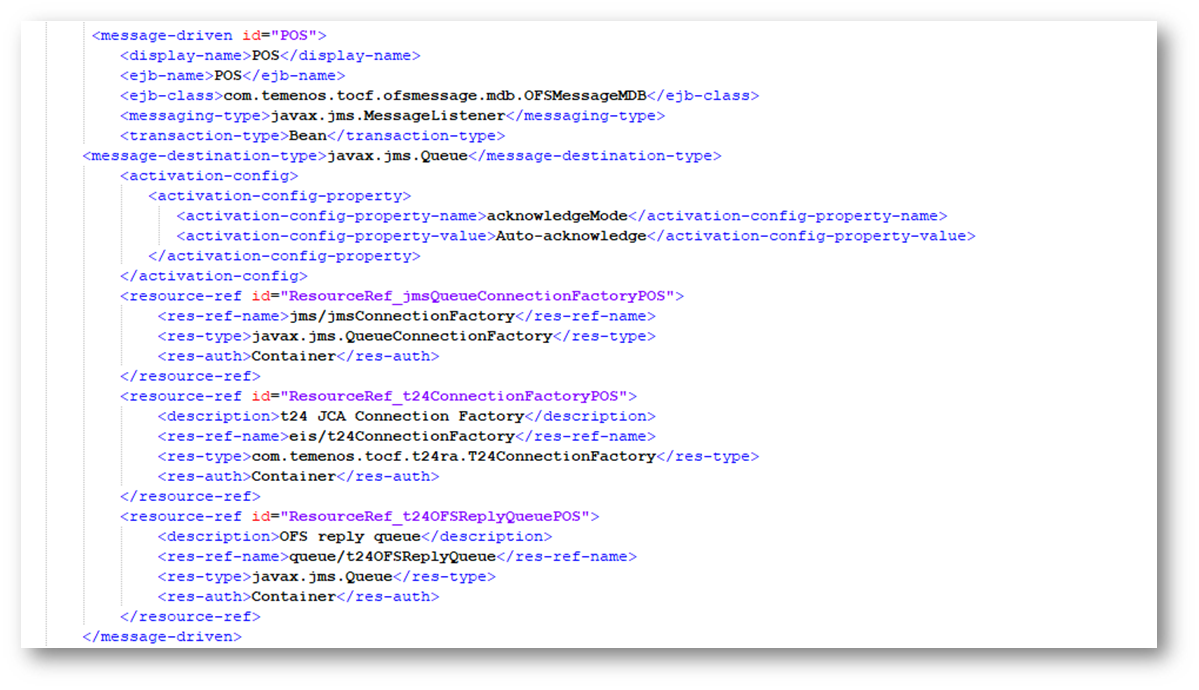
- Copy the tags from <message-driven> to </message-driven> and edit the values as highlighted below.
<message-driven id="ATM">
<display-name>ATM</display-name>
<ejb-name>ATM</ejb-name>
<ejb-class>com.temenos.tocf.ofsmessage.mdb.OFSMessageMDB</ejb-class>
<messaging-type>javax.jms.MessageListener</messaging-type>
<transaction-type>Bean</transaction-type>
<message-destination-type>javax.jms.Queue</message-destination-type>
<activation-config>
<activation-config-property>
<activation-config-property-name>acknowledgeMode</activation-config-property-name>
<activation-config-property-value>Auto-acknowledge</activation-config-property-value>
</activation-config-property>
</activation-config>
<resource-ref id="ResourceRef_jmsQueueConnectionFactoryATM">
<res-ref-name>jms/jmsConnectionFactory</res-ref-name>
<res-type>javax.jms.QueueConnectionFactory</res-type>
<res-auth>Container</res-auth>
</resource-ref>
<resource-ref id="ResourceRef_t24ConnectionFactoryATM">
<description>t24 JCA Connection Factory</description>
<res-ref-name>eis/t24ConnectionFactory</res-ref-name>
<res-type>com.temenos.tocf.t24ra.T24ConnectionFactory</res-type>
<res-auth>Container</res-auth>
</resource-ref>
<resource-ref id="ResourceRef_t24OFSReplyQueueATM">
<description>OFS reply queue</description>
<res-ref-name>queue/t24OFSReplyQueue</res-ref-name>
<res-type>javax.jms.Queue</res-type>
<res-auth>Container</res-auth>
</resource-ref>
</message-driven>
jboss-ejb3.xml
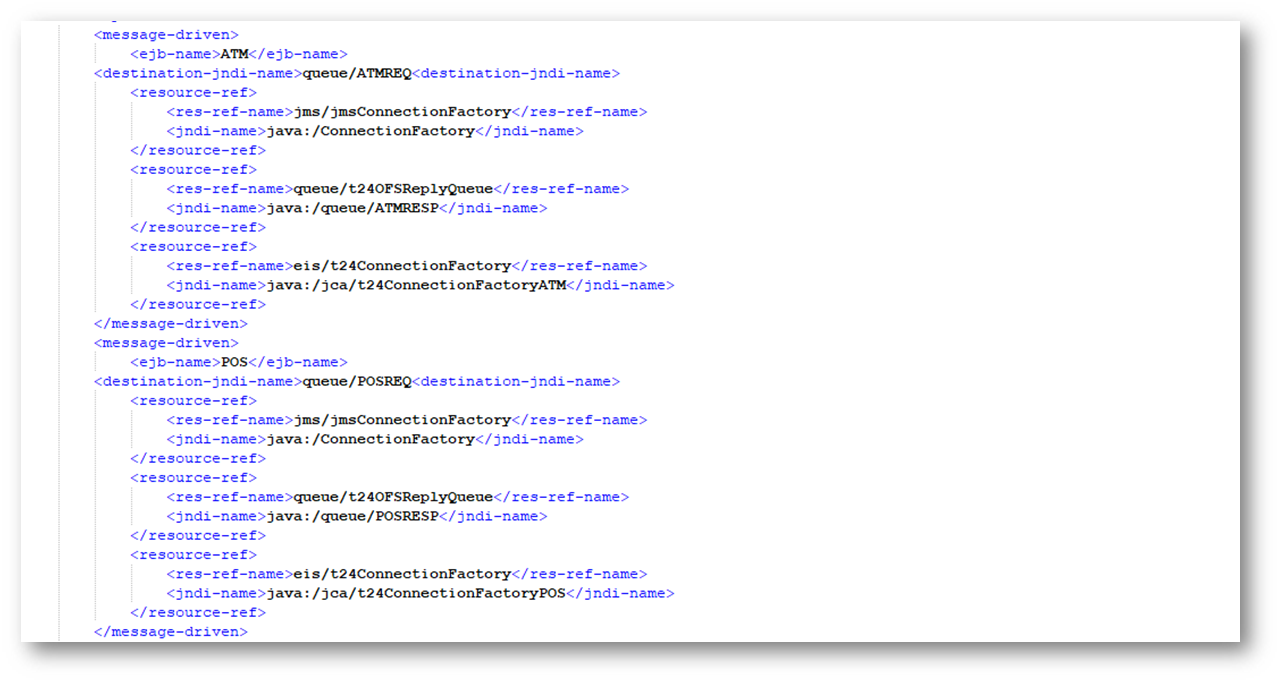
- Edit the Jboss-ejb3.xml present inside tocfee.ear\ tocfOFSmessage-ejb.jar\META-INF\, as shown below.

- Add the below configuration under assembly-descriptor tags.
<message-driven>
<ejb-name>ATM</ejb-name>
<destination-jndi-name>queue/ATMREQ<destination-jndi-name>
<resource-ref>
<res-ref-name>jms/jmsConnectionFactory</res-ref-name>
<jndi-name>java:/ConnectionFactory</jndi-name>
</resource-ref>
<resource-ref>
<res-ref-name>queue/t24OFSReplyQueue</res-ref-name>
<jndi-name>java:/queue/ATMRESP</jndi-name>
</resource-ref>
<resource-ref>
<res-ref-name>eis/t24ConnectionFactory</res-ref-name>
<jndi-name>java:/jca/t24ConnectionFactoryATM</jndi-name>
</resource-ref>
</message-driven>
<message-driven>
<ejb-name>POS</ejb-name>
<destination-jndi-name>queue/POSREQ<destination-jndi-name>
<resource-ref>
<res-ref-name>jms/jmsConnectionFactory</res-ref-name>
<jndi-name>java:/ConnectionFactory</jndi-name>
</resource-ref>
<resource-ref>
<res-ref-name>queue/t24OFSReplyQueue</res-ref-name>
<jndi-name>java:/queue/POSRESP</jndi-name>
</resource-ref>
<resource-ref>
<res-ref-name>eis/t24ConnectionFactory</res-ref-name>
<jndi-name>java:/jca/t24ConnectionFactoryPOS</jndi-name>
</resource-ref>
</message-driven>
Configure the log4j.xml (tocfee-log4j.jar) File
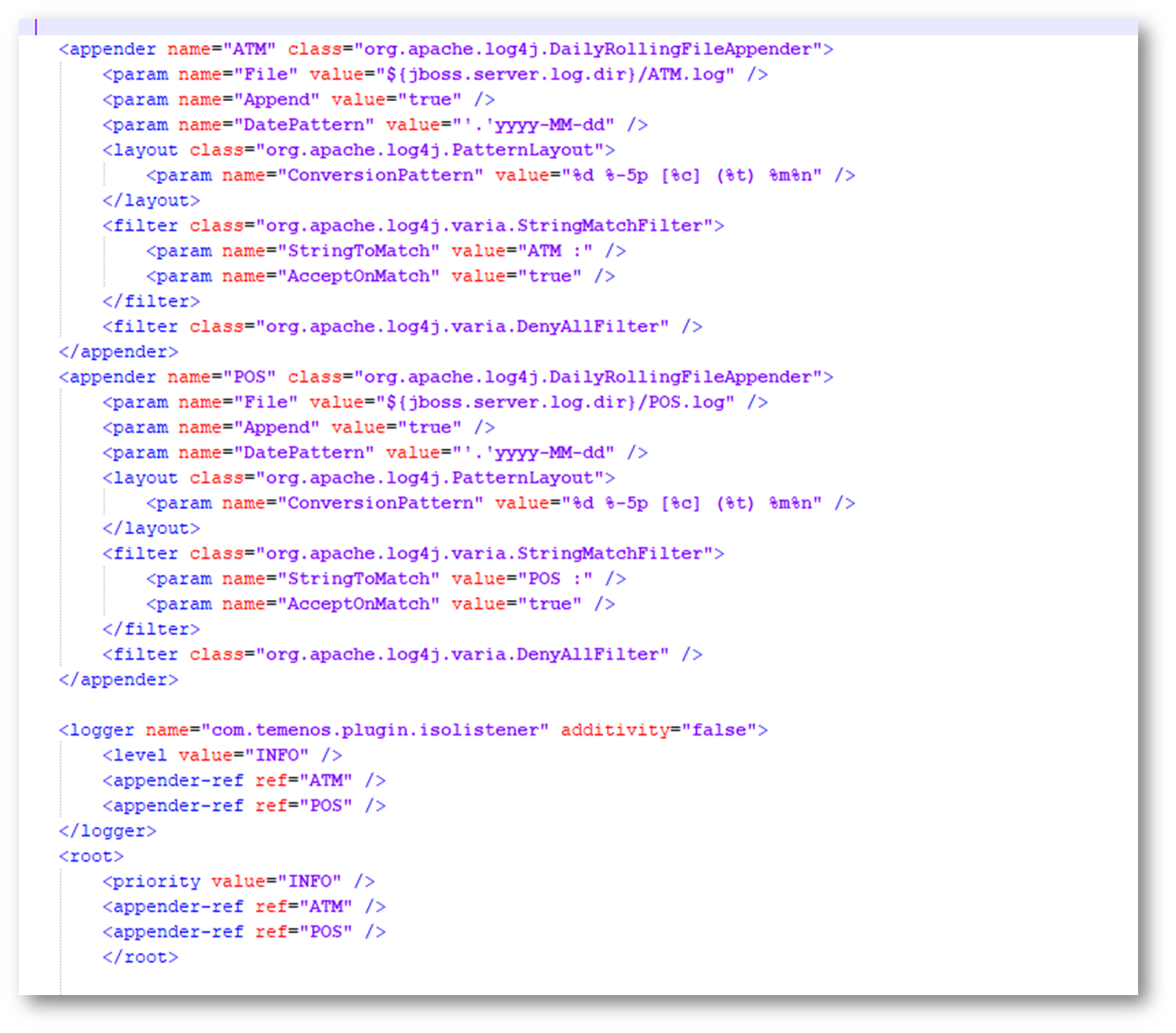
- Edit the log4j.xml present inside tocfee.ear\lib\tocfee-log4j.jar\, as shown below.

- Add the below configuration in between log4j:configuration tag.
<appender name="ATM" class="org.apache.log4j.DailyRollingFileAppender">
<param name="File" value="${jboss.server.log.dir}/ATM.log" />
<param name="Append" value="true" />
<param name="DatePattern" value="'.'yyyy-MM-dd" />
<layout class="org.apache.log4j.PatternLayout">
<param name="ConversionPattern" value="%d %-5p [%c] (%t) %m%n" />
</layout>
<filter class="org.apache.log4j.varia.StringMatchFilter">
<param name="StringToMatch" value="ATM :" />
<param name="AcceptOnMatch" value="true" />
</filter>
<filter class="org.apache.log4j.varia.DenyAllFilter" />
</appender>
<appender name="POS" class="org.apache.log4j.DailyRollingFileAppender">
<param name="File" value="${jboss.server.log.dir}/POS.log" />
<param name="Append" value="true" />
<param name="DatePattern" value="'.'yyyy-MM-dd" />
<layout class="org.apache.log4j.PatternLayout">
<param name="ConversionPattern" value="%d %-5p [%c] (%t) %m%n" />
</layout>
<filter class="org.apache.log4j.varia.StringMatchFilter">
<param name="StringToMatch" value="POS :" />
<param name="AcceptOnMatch" value="true" />
</filter>
<filter class="org.apache.log4j.varia.DenyAllFilter" />
</appender>
<logger name="com.temenos.plugin.isolistener" additivity="false">
<level value="INFO" />
<appender-ref ref="ATM" />
<appender-ref ref="POS" />
</logger>
<root>
<priority value="INFO" />
<appender-ref ref="ATM" />
<appender-ref ref="POS" />
</root>
Listener Configuration in TAFJEE_EAR.ear
Follow the steps below to configure the listener in TAFJEE_EAR.ear.
TAFJJEE_MDB.jar
Follow the steps below to configure the listener in TAFJJEE_MDB.jar.
ejb-jar.xml
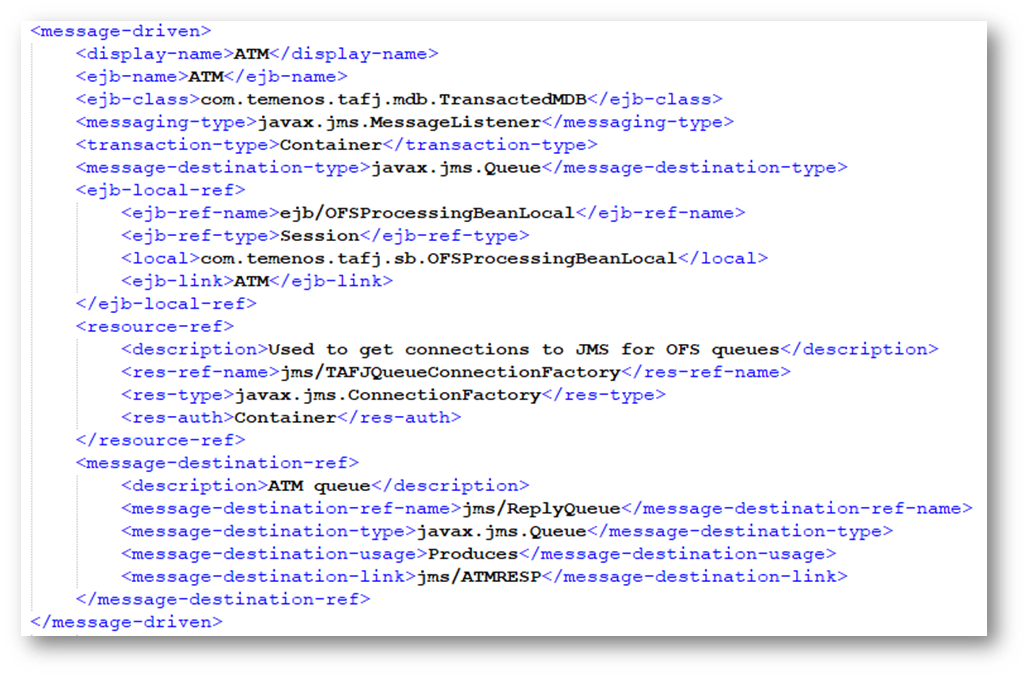
- Edit the ejb-jar.xml present inside TAFJJEE_EAR.ear\TAFJJEE_MDB.jar\META-INF\, as shown below.
- EJB name can be set as required, but please note that the same ejb-name has to be specified everywhere.


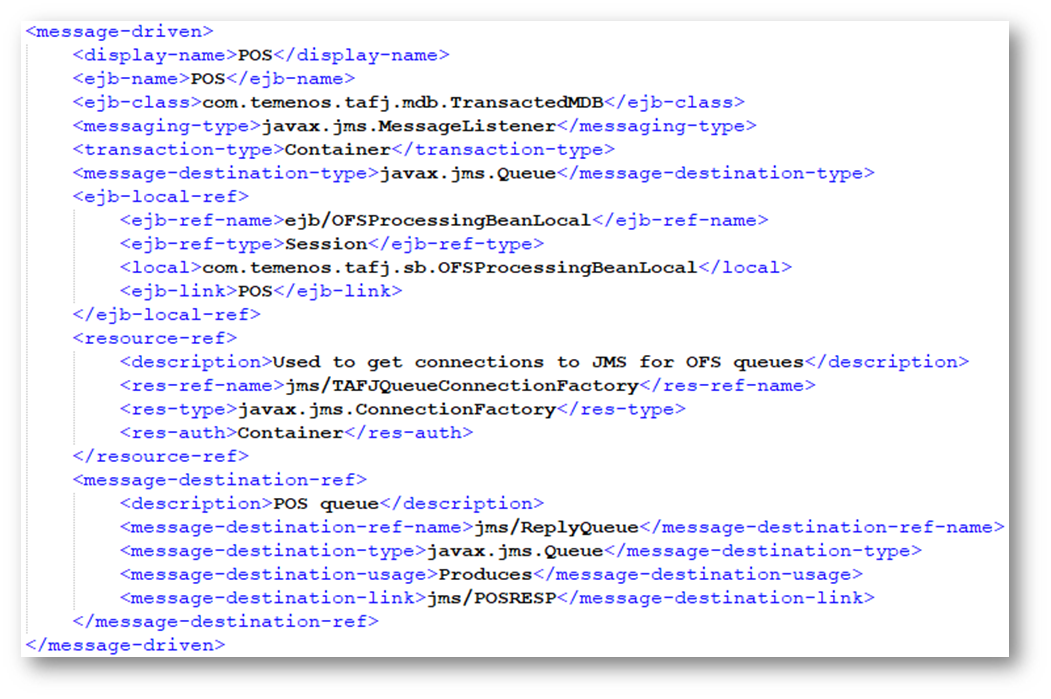
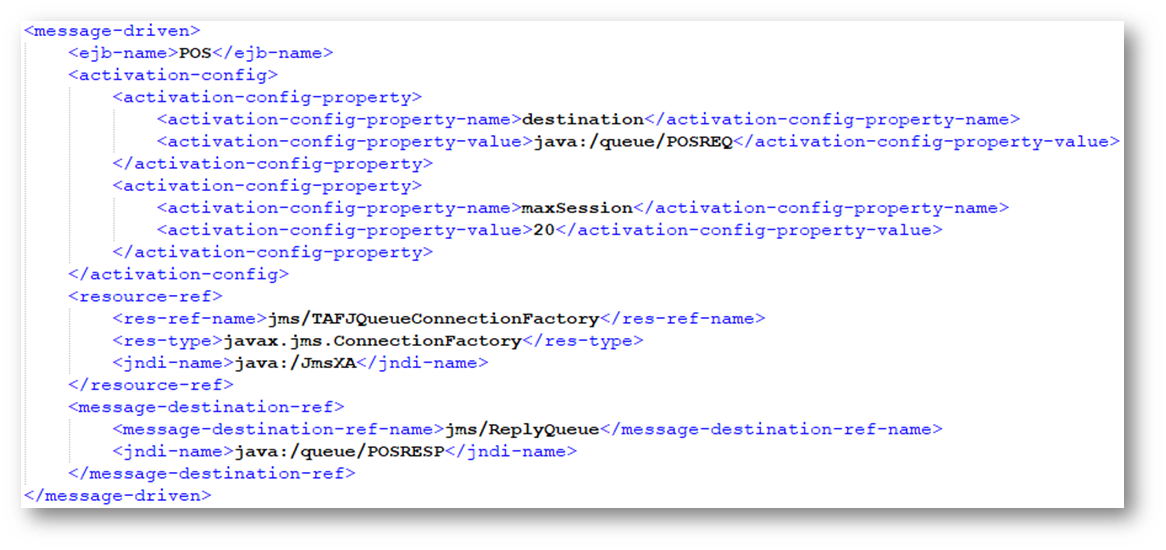
- Copy the tags from <message-driven> to </message-driven> and edit the values as highlighted below for ATM, POS.
<message-driven>
<display-name>ATM</display-name>
<ejb-name>ATM</ejb-name>
<ejb-class>com.temenos.tafj.mdb.TransactedMDB</ejb-class>
<messaging-type>javax.jms.MessageListener</messaging-type>
<transaction-type>Container</transaction-type>
<message-destination-type>javax.jms.Queue</message-destination-type>
<ejb-local-ref>
<ejb-ref-name>ejb/OFSProcessingBeanLocal</ejb-ref-name>
<ejb-ref-type>Session</ejb-ref-type>
<local>com.temenos.tafj.sb.OFSProcessingBeanLocal</local>
<ejb-link>ATM</ejb-link>
</ejb-local-ref>
<resource-ref>
<description>Used to get connections to JMS for OFS queues</description>
<res-ref-name>jms/TAFJQueueConnectionFactory</res-ref-name>
<res-type>javax.jms.ConnectionFactory</res-type>
<res-auth>Container</res-auth>
</resource-ref>
<message-destination-ref>
<description>ATM queue</description>
<message-destination-ref-name>jms/ReplyQueue</message-destination-ref-name>
<message-destination-type>javax.jms.Queue</message-destination-type>
<message-destination-usage>Produces</message-destination-usage>
<message-destination-link>jms/ATMRESP</message-destination-link>
</message-destination-ref>
</message-driven>
jboss-ejb3.xml
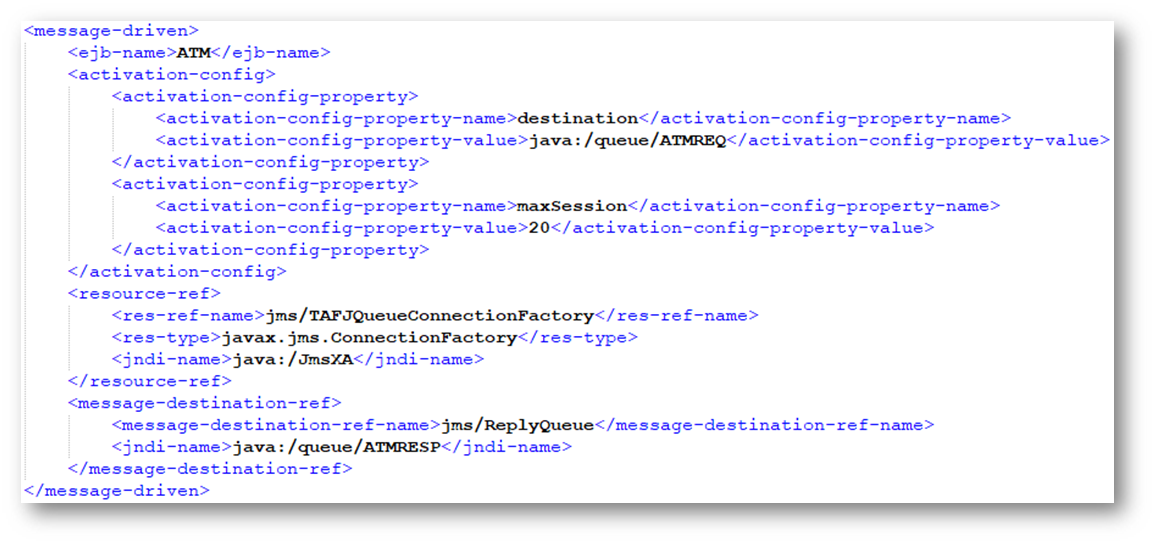
- Edit the jboss-ejb3.xml present inside TAFJJEE_EAR.ear\TAFJJEE_MDB.jar\META-INF\, as shown below.
- Specify the same ejb name which is specified in ejb-jar.xml.
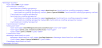
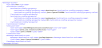
- Copy the tags from <message-driven> to </message-driven> and edit the values as highlighted below for ATM ,POS.
<message-driven>
<ejb-name>ATM</ejb-name>
<activation-config>
<activation-config-property>
<activation-config-property-name>destination</activation-config-property-name>
<activation-config-property-value>java:/queue/ATMREQ</activation-config-property-value>
</activation-config-property>
<activation-config-property>
<activation-config-property-name>maxSession</activation-config-property-name>
<activation-config-property-value>20</activation-config-property-value>
</activation-config-property>
</activation-config>
<resource-ref>
<res-ref-name>jms/TAFJQueueConnectionFactory</res-ref-name>
<res-type>javax.jms.ConnectionFactory</res-type>
<jndi-name>java:/JmsXA</jndi-name>
</resource-ref>
<message-destination-ref>
<message-destination-ref-name>jms/ReplyQueue</message-destination-ref-name>
<jndi-name>java:/queue/ATMRESP</jndi-name>
</message-destination-ref>
</message-driven>
TAFJJEE_EJB.jar
Follow the steps below to configure the listener in TAFJJEE_MDB.jar.
ejb-jar.xml
- Edit the ejb-jar.xml present inside TAFJJEE_EAR.ear\TAFJJEE_EJB.jar\META-INF\, as shown below.
- EJB name can be set as required, but please note that the same ejb-name has to be specified everywhere.

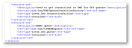


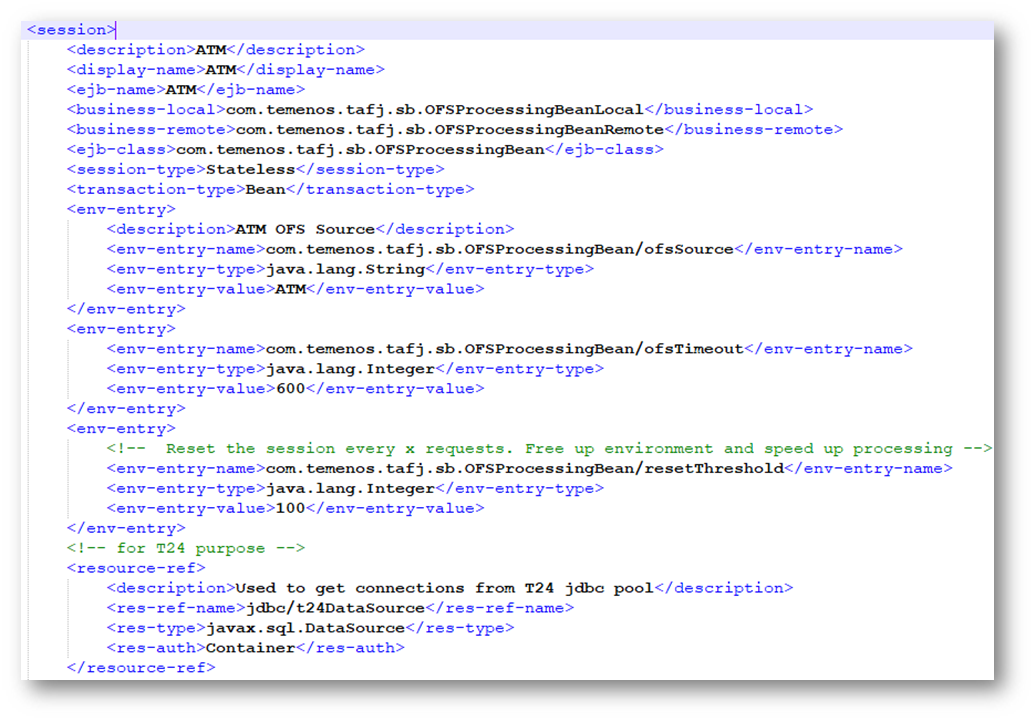
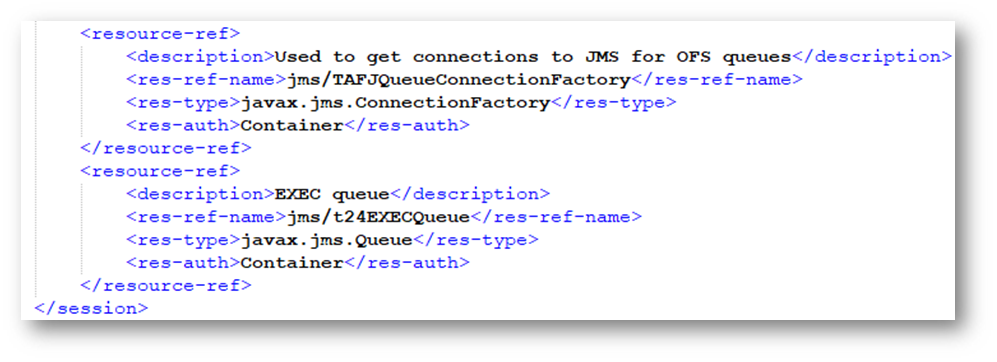
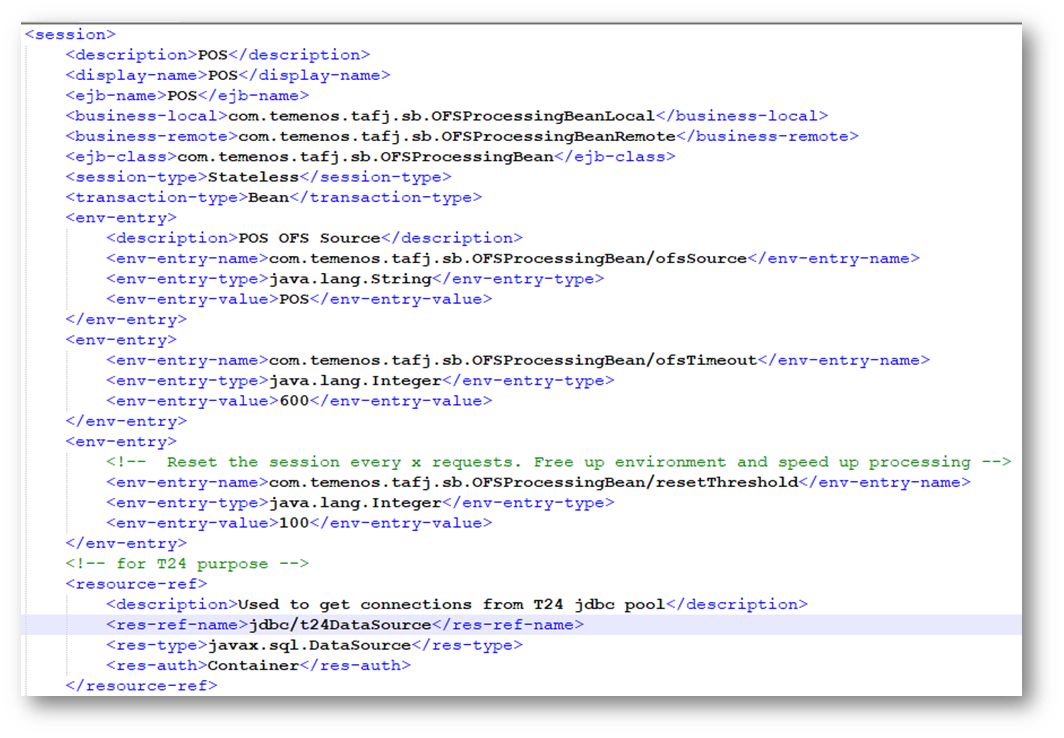
- Copy the tags from <session> to </session> and edit the values as highlighted below for ATM and POS.
<session>
<description>ATM</description>
<display-name>ATM</display-name>
<ejb-name>ATM</ejb-name>
<business-local>com.temenos.tafj.sb.OFSProcessingBeanLocal</business-local>
<business-remote>com.temenos.tafj.sb.OFSProcessingBeanRemote</business-remote>
<ejb-class>com.temenos.tafj.sb.OFSProcessingBean</ejb-class>
<session-type>Stateless</session-type>
<transaction-type>Bean</transaction-type>
<!-- For tafj session -->
<env-entry>
<description>ATM OFS Source</description>
<env-entry-name>com.temenos.tafj.sb.OFSProcessingBean/ofsSource</env-entry-name>
<env-entry-type>java.lang.String</env-entry-type>
<env-entry-value>ATM</env-entry-value>
</env-entry>
<env-entry>
<env-entry-name>com.temenos.tafj.sb.OFSProcessingBean/ofsTimeout</env-entry-name>
<env-entry-type>java.lang.Integer</env-entry-type>
<env-entry-value>60</env-entry-value>
</env-entry>
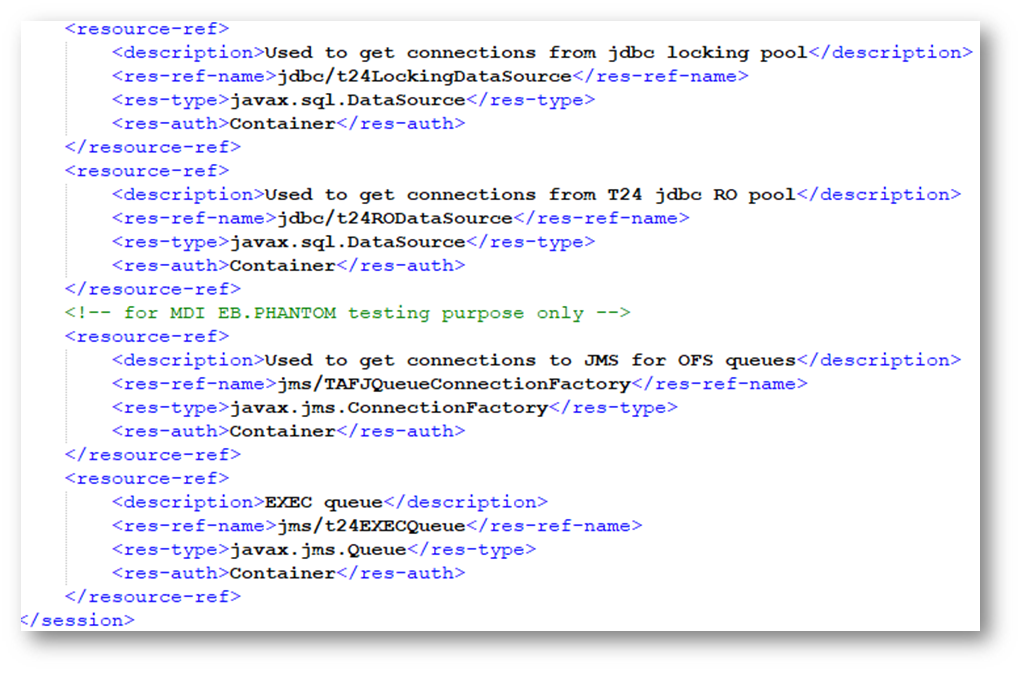
<resource-ref>
<description>Used to get connections from T24 jdbc pool</description>
<res-ref-name>jdbc/t24DataSource</res-ref-name>
<res-type>javax.sql.DataSource</res-type>
<res-auth>Container</res-auth>
</resource-ref>
<resource-ref>
<description>Used to get connections from jdbc locking pool</description>
<res-ref-name>jdbc/t24LockingDataSource</res-ref-name>
<res-type>javax.sql.DataSource</res-type>
<res-auth>Container</res-auth>
</resource-ref>
<resource-ref>
<description>Used to get connections from T24 jdbc RO pool</description>
<res-ref-name>jdbc/t24RODataSource</res-ref-name>
<res-type>javax.sql.DataSource</res-type>
<res-auth>Container</res-auth>
</resource-ref>
</session>
jboss-ejb3.xml
- Edit the ibm-ejb-jar-bnd.xml present inside TAFJJEE_EAR.ear\TAFJJEE_T24.jar\META-INF\, as shown below.
- Specify the same ejb name which is specified in ejb-jar.xml.


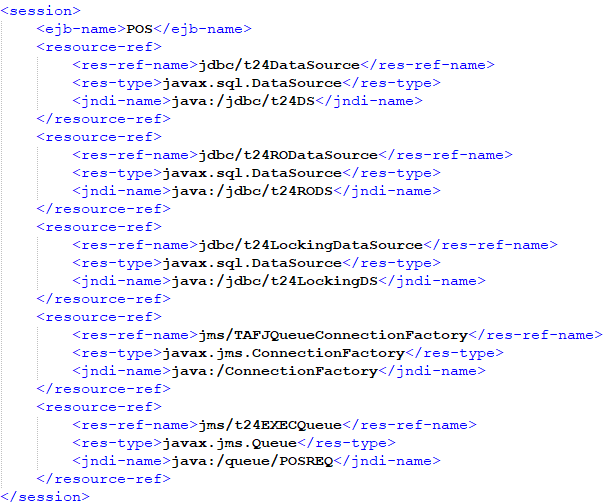
- Copy the tags from <session> to </session> and edit the values as highlighted below for ATM and POS.
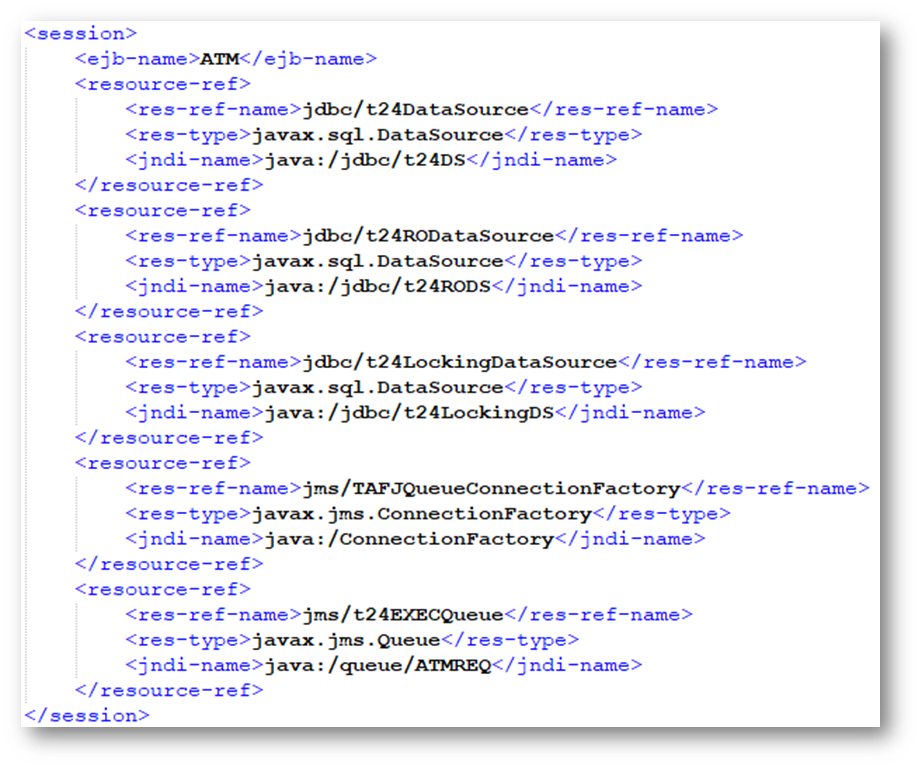
<session>
<ejb-name>ATM</ejb-name>
<resource-ref>
<res-ref-name>jdbc/t24DataSource</res-ref-name>
<res-type>javax.sql.DataSource</res-type>
<jndi-name>java:/jdbc/t24DS</jndi-name>
</resource-ref>
<resource-ref>
<res-ref-name>jdbc/t24RODataSource</res-ref-name>
<res-type>javax.sql.DataSource</res-type>
<jndi-name>java:/jdbc/t24RODS</jndi-name>
</resource-ref>
<resource-ref>
<res-ref-name>jdbc/t24LockingDataSource</res-ref-name>
<res-type>javax.sql.DataSource</res-type>
<jndi-name>java:/jdbc/t24LockingDS</jndi-name>
</resource-ref>
<resource-ref>
<res-ref-name>jms/TopicConnectionFactory</res-ref-name>
<res-type>javax.jms.ConnectionFactory</res-type>
<jndi-name>java:/ConnectionFactory</jndi-name>
</resource-ref>
<resource-ref>
<res-ref-name>jms/t24EXECQueue</res-ref-name>
<res-type>javax.jms.Queue</res-type>
<jndi-name>java:/queue/ATMREQ</jndi-name>
</resource-ref>
</session>
Deployments
Once the above are completed make sure following is done.
Standalone.xml
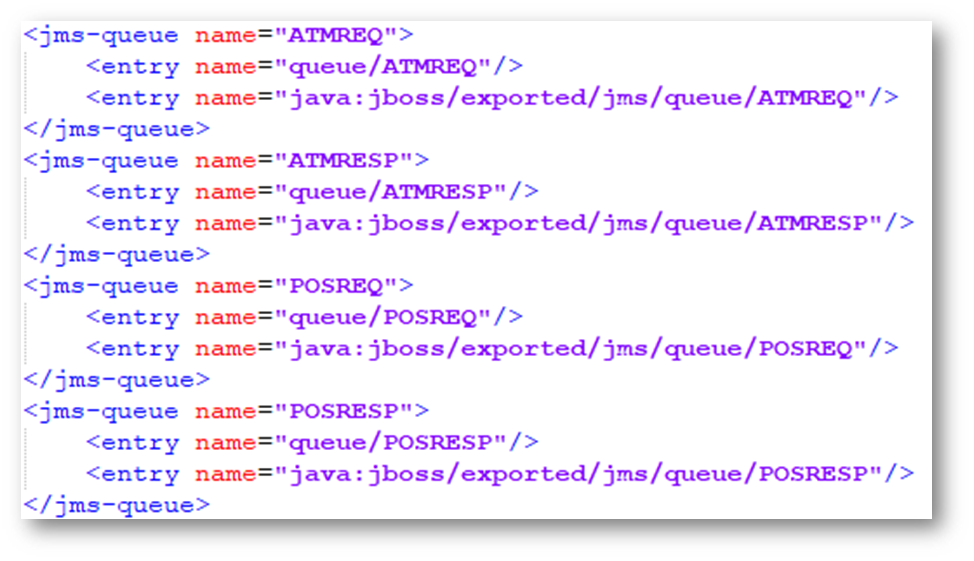
- Based on the Jboss deployment make sure appropriate standalone.xml is amended to configure the queues used for DCP ATM/POS interface.

- Amend the <jms-destinations> tag section and add the below queue names to be used for DCP ATM/POS Interface.
<jms-queue name="ATMREQ">
<entry name="queue/ATMREQ"/>
<entry name="java:jboss/exported/jms/queue/ATMREQ"/>
</jms-queue>
<jms-queue name="ATMRESP">
<entry name="queue/ATMRESP"/>
<entry name="java:jboss/exported/jms/queue/ATMRESP"/>
</jms-queue>
Once the above is done start the jboss for DCP ATM/POS to receive messages from DCP Switch.
Special Configuration
Follow the steps below to configure the Standalone.conf.
Standalone.conf
We need to configure the below configuration under the Standalone.conf.sh (for UNIX environment) or standalone.conf.bat (for windows environment) which will be available in Jboss/bin folder. Comment if any encoding done for UTF-8 and add the encoding as Cp1252 as below.
For Windows environment:
- Comment if any encoding done for UTF-8 and add the encoding as Cp1252
- rem # "JAVA_OPTS=%JAVA_OPTS% -Dfile.encoding=UTF-8
- set “JAVA_OPTS="%JAVA_OPTS% -Dfile.encoding=Cp1252
For Unix environment:
- #JAVA_OPTS="$JAVA_OPTS -Dfile.encoding= UTF-8"
- JAVA_OPTS="$JAVA_OPTS -Dfile.encoding=Cp1252"
NOTE: This is a special configuration needs to be done for Jboss instance of ATM POS for encoding
Add Bookmark
save your best linksView Bookmark
Visit your best links BACK
BACK


Are you sure you want to log-off?