| Bookmark Name | Actions |
|---|
CBU - Online/Batch & Alias Installation Guide
This document aims at explaining the installation procedures required to install this package successfully in Temenos Transact. The scope of the document is to cover the release mechanism of the package.
NOTE: When transferring the pack via FTP the transport method must be set to binary.
Steps for Installing the Package
Pre-installation steps:
- The Jar for the JAVA API – CoelsaApi.jar needs to be placed in the below location: \jboss\modules\com\temenos\tafj\main\lib.
 Installation Steps
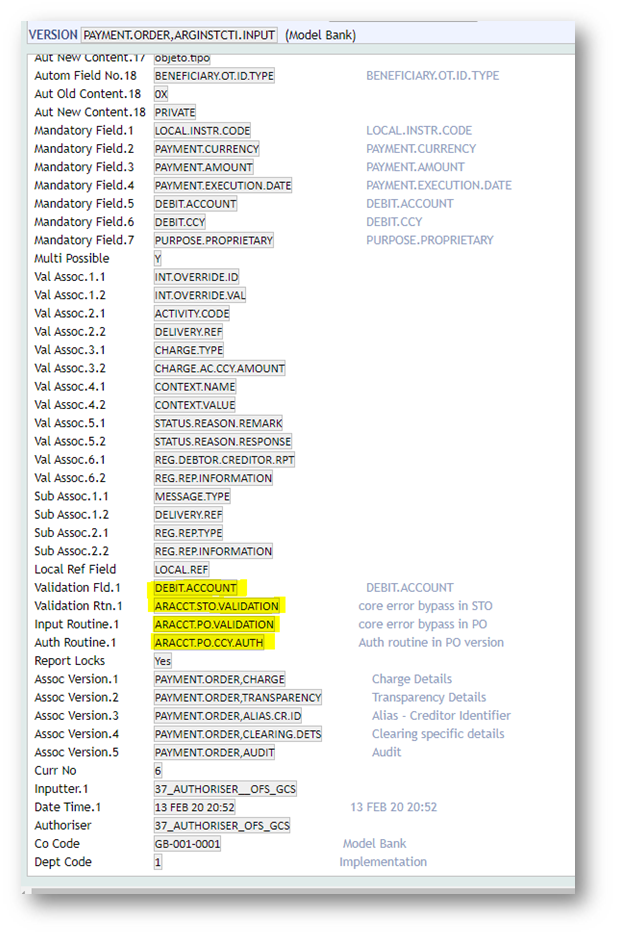
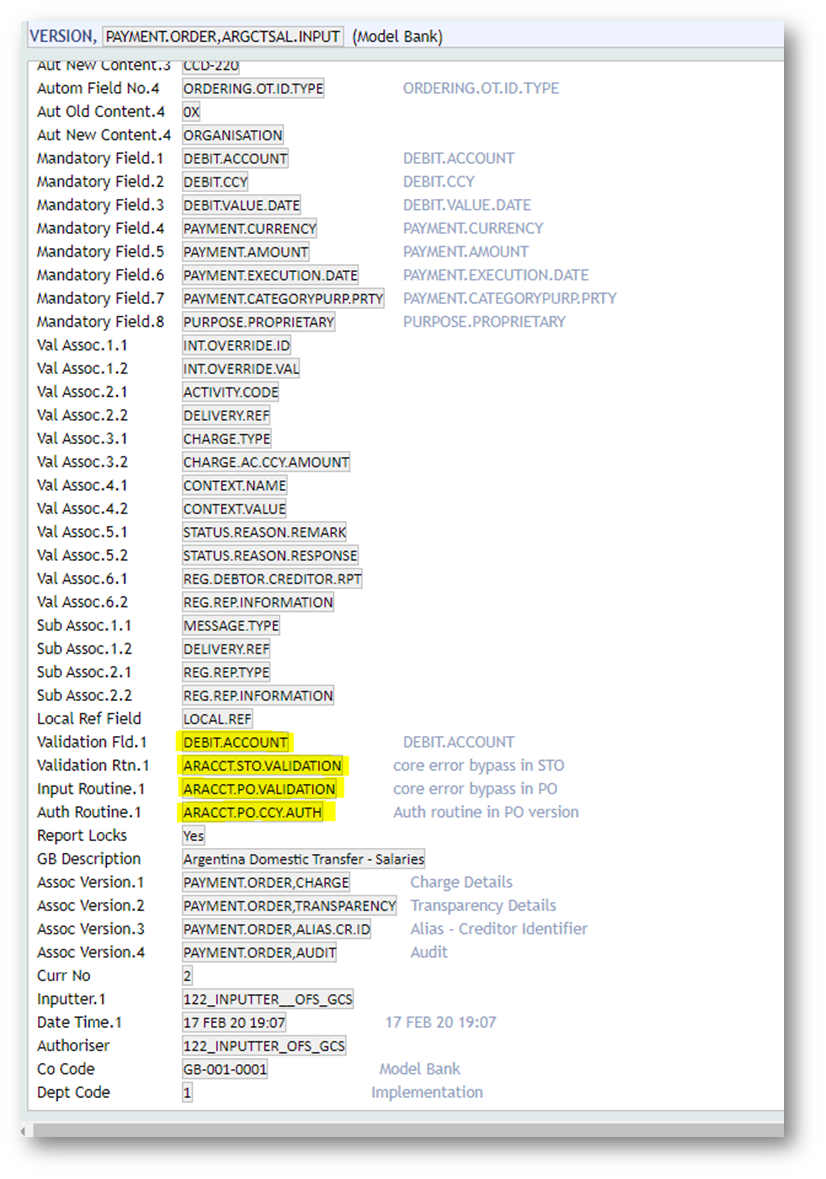
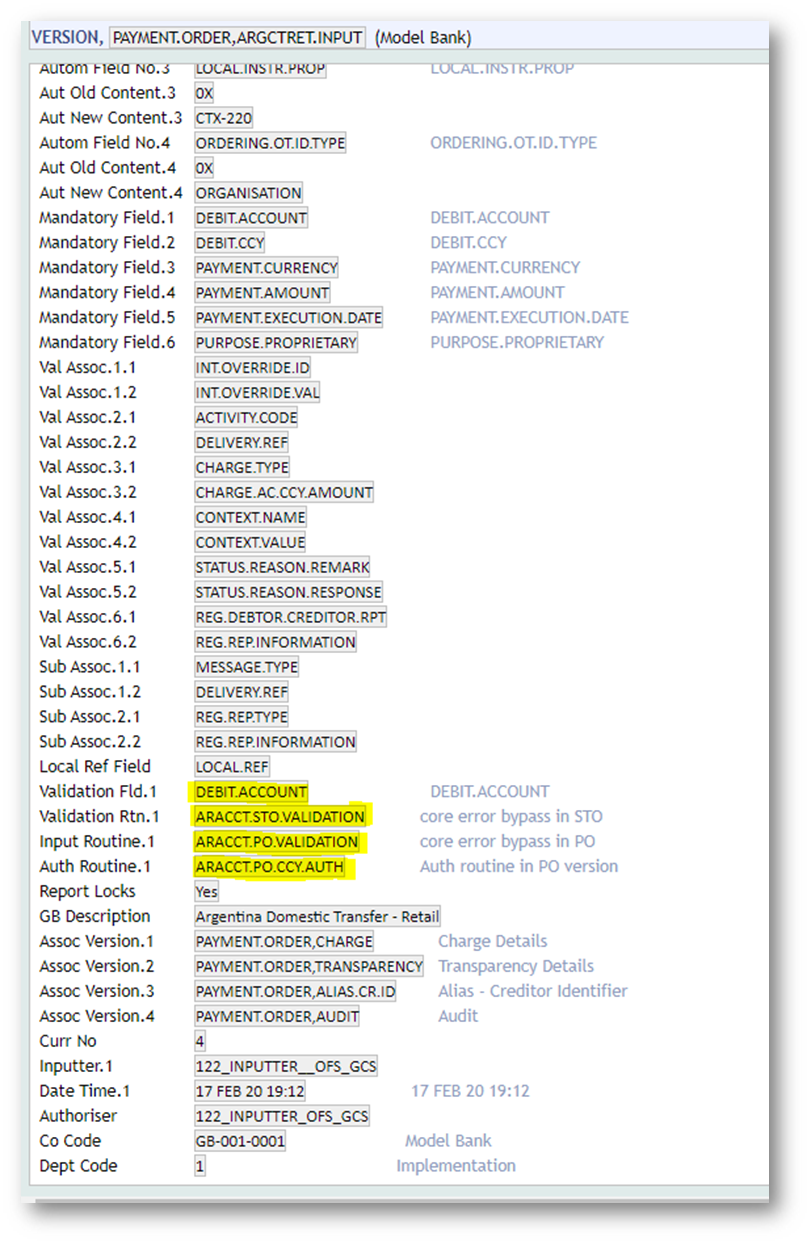
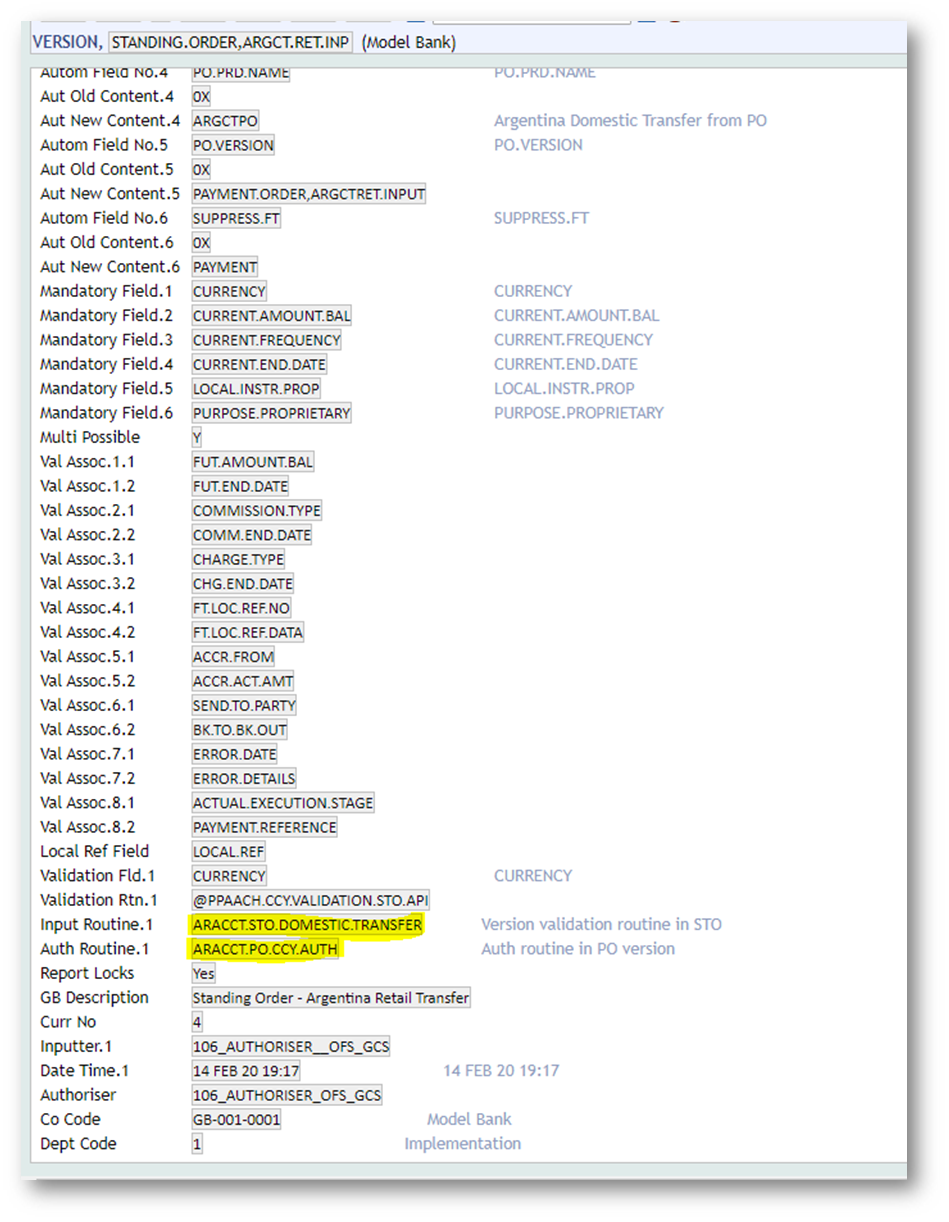
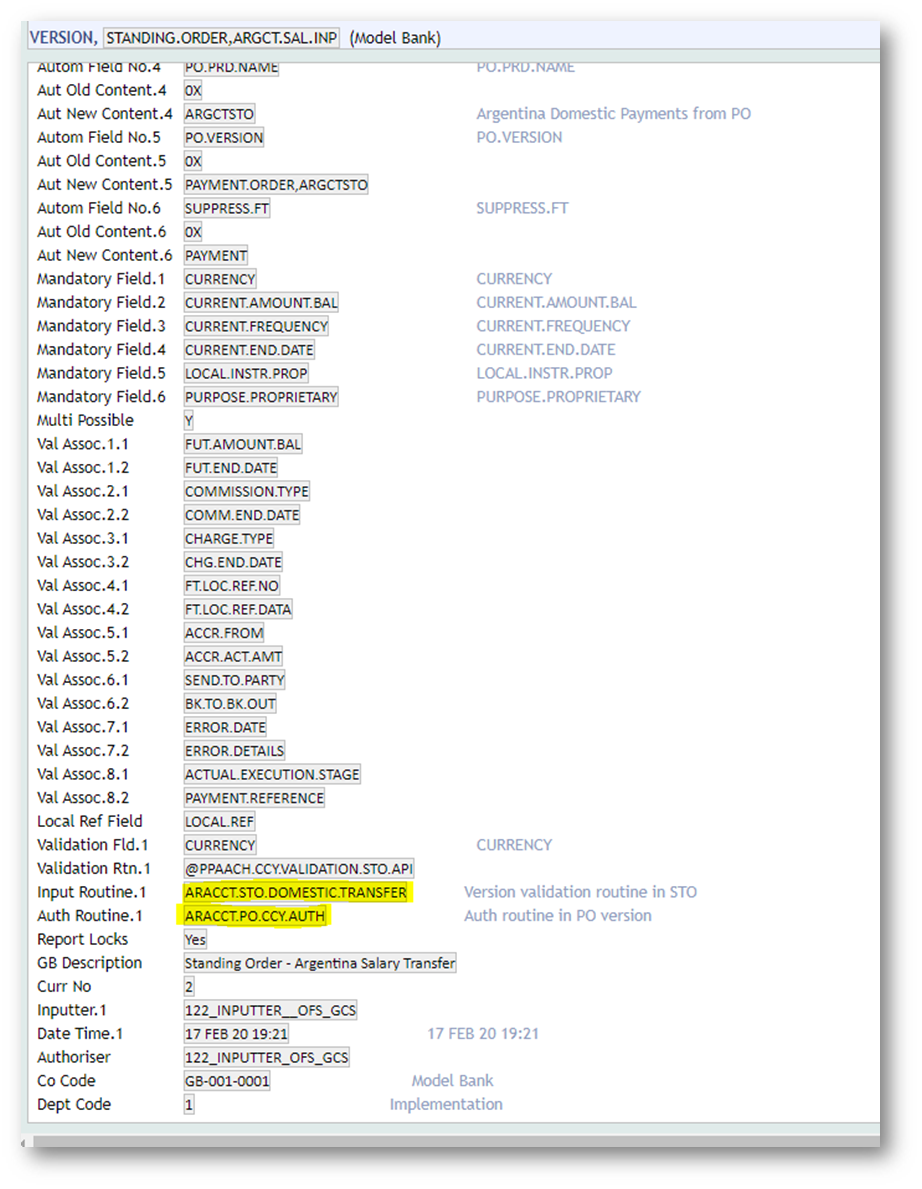
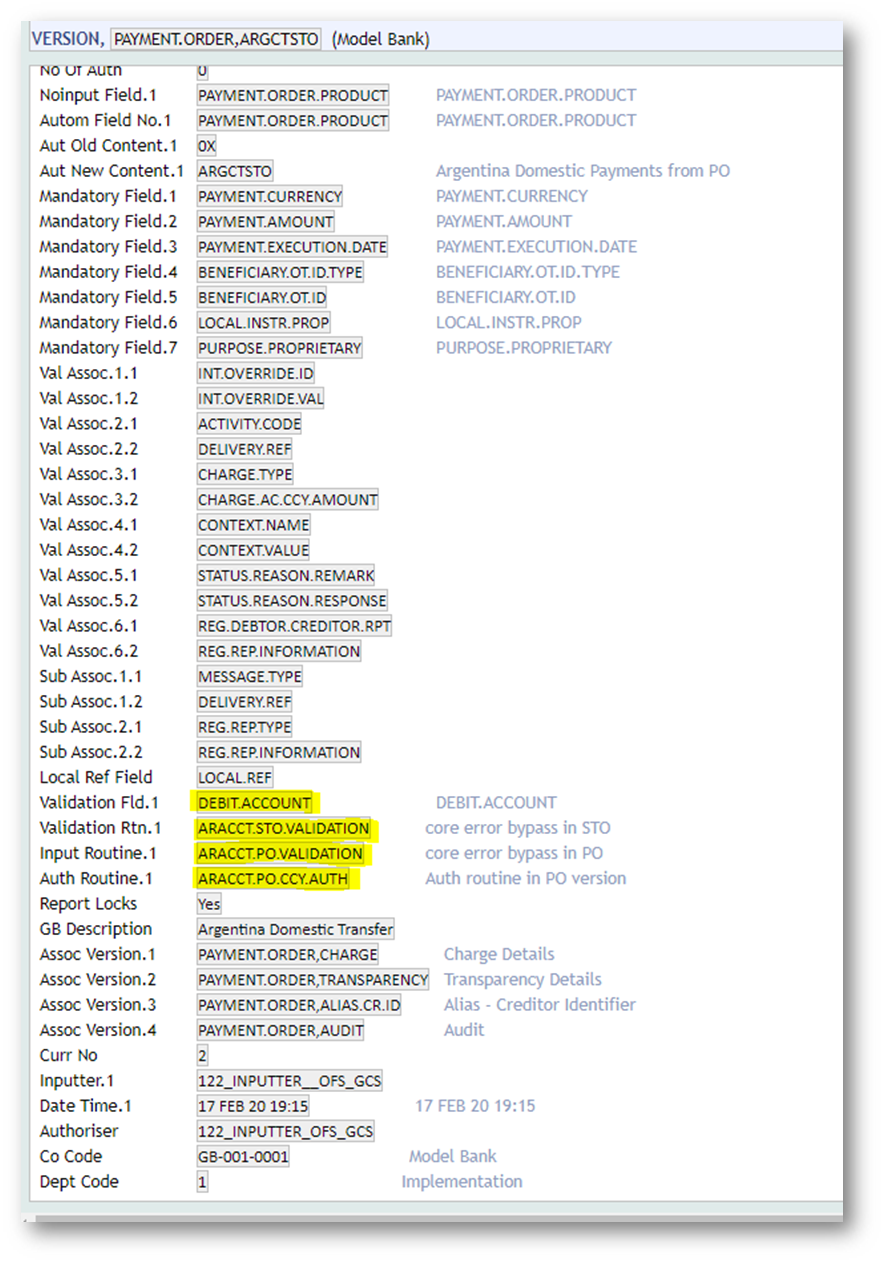
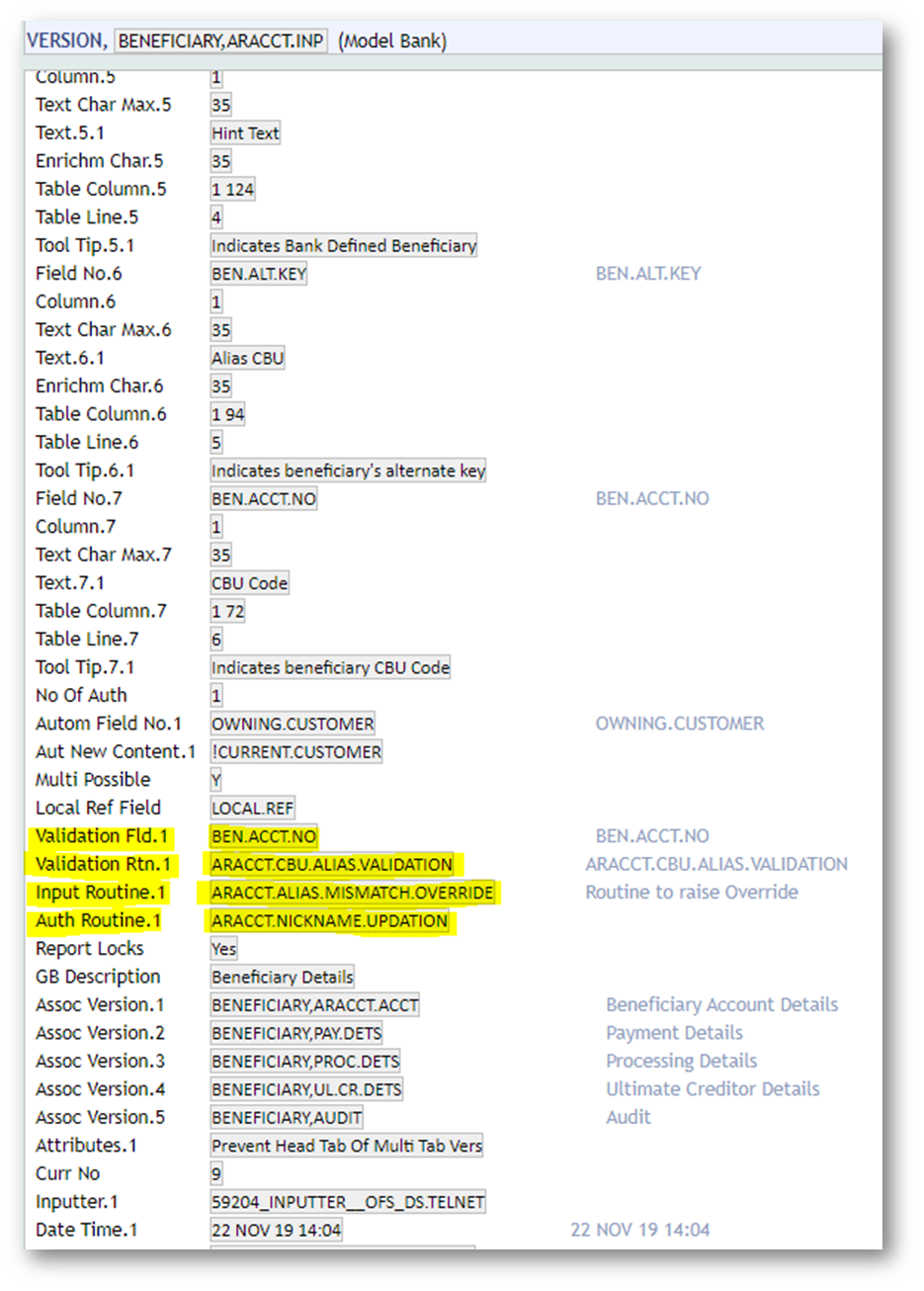
- The versions below need to be available with the highlighted changes.
- PAYMENT.ORDER,ARGINSTCTI.INPUT.

- PAYMENT.ORDER,ARGCTSAL.INPUT.

- PAYMENT.ORDER,ARGCTRET.INPUT.

- STANDING.ORDER,ARGCT.RET.INP.

- STANDING.ORDER,ARGCT.SAL.INP.

- PAYMENT.ORDER,ARGCTSTO.

- BENEFICIARY,ARACCT.INP.

- PAYMENT.ORDER,ARGINSTCTI.INPUT.
- Validate and commit the records.
- Authorise the version records.
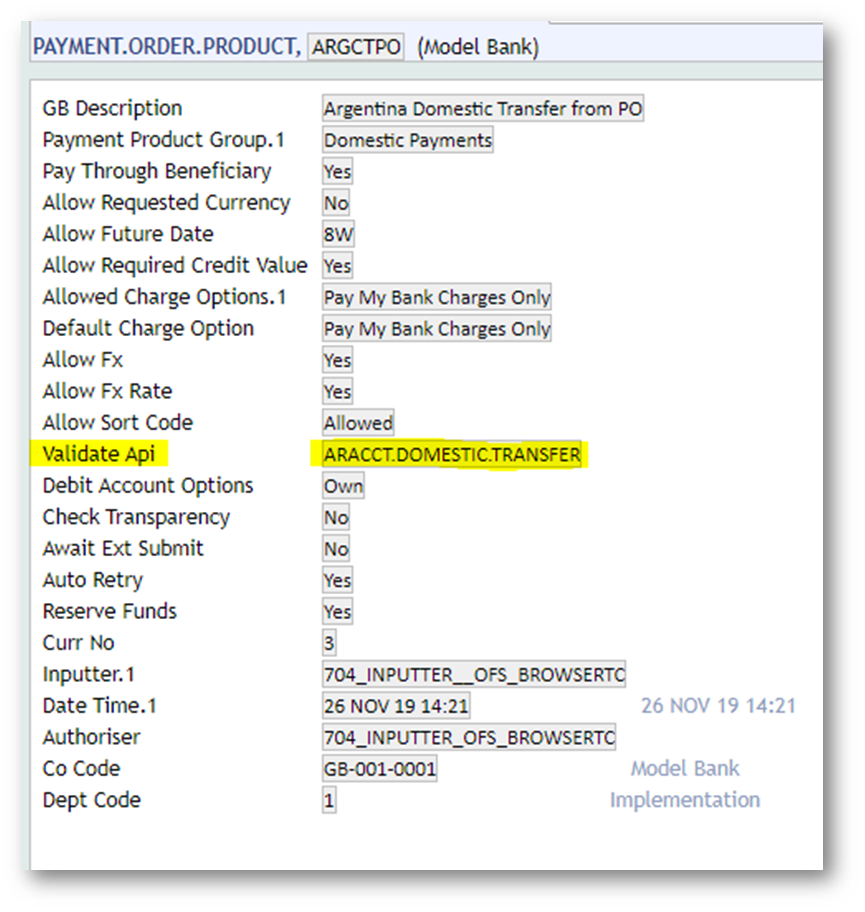
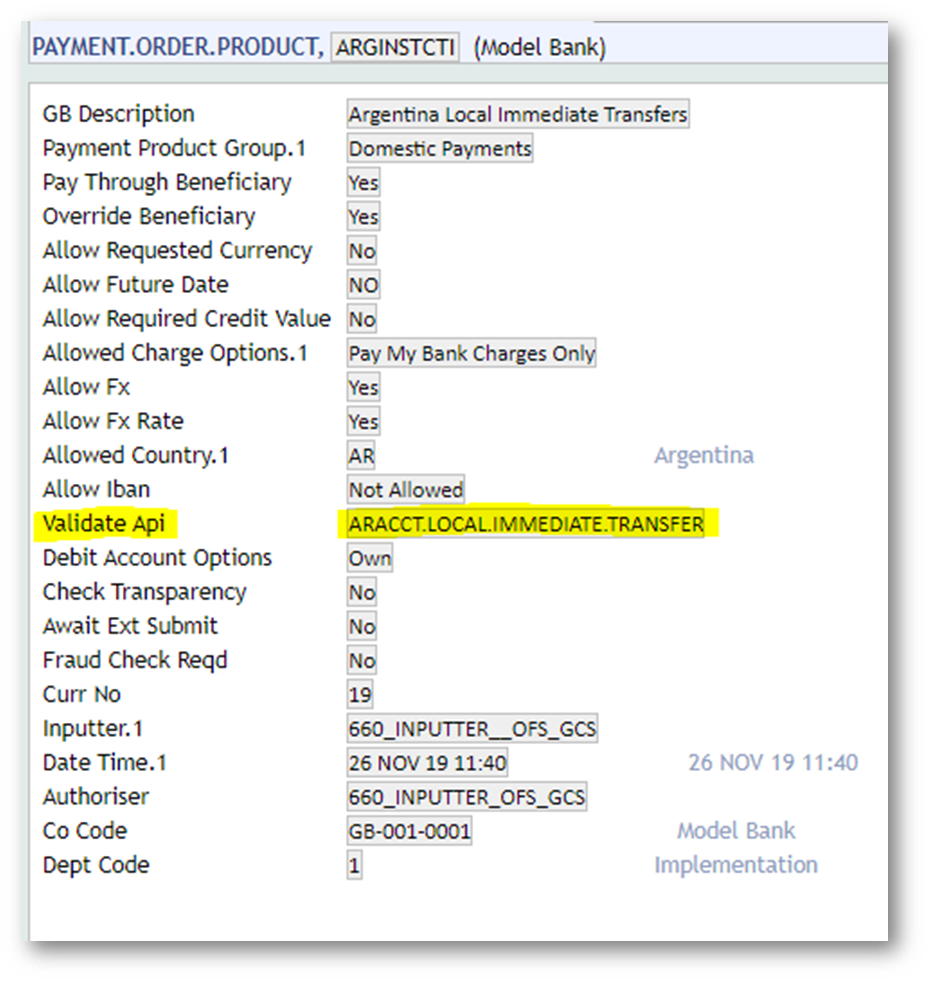
- Attach the routine in the Validate Api field in the PAYMENT.ORDER.PRODUCT application which is configured for the PO versions.


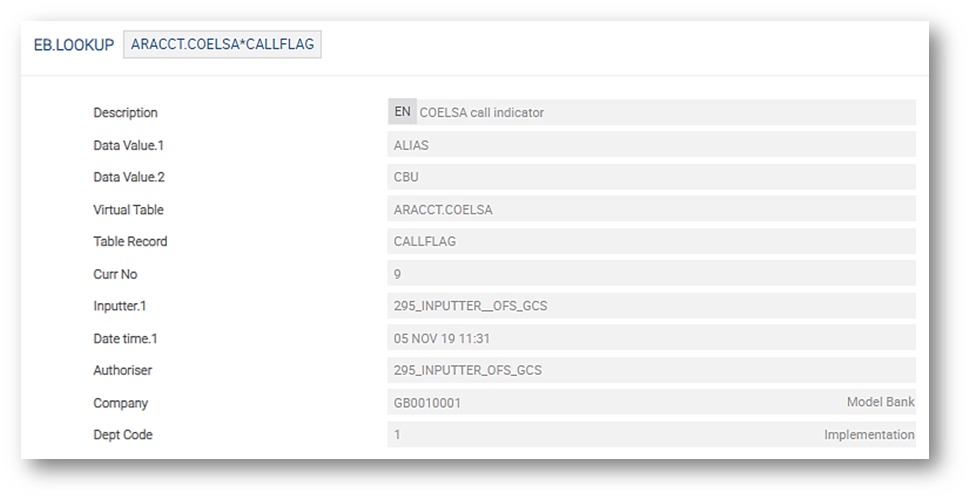
- To restrict the COELSA call, we have added a condition: only if there is a values in the Data Value fields in the EB.LOOKUP record, ARACCT.COELSA*CALLFLAG only then COELSA call will be triggered. Else no call to COELSA will happen.

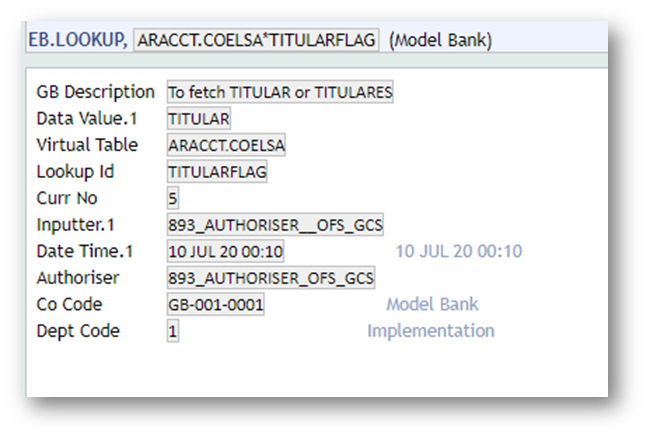
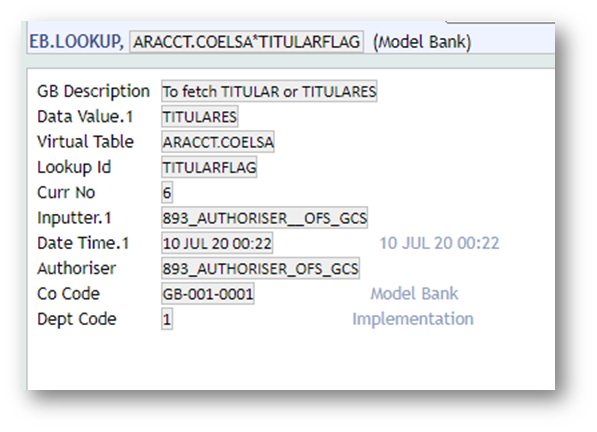
- We are giving an provision to fetch details either from titualr or titulares using an EB.LOOKUP record. Provide either “TITULAR” or “TITULARES” in the data value field. Please provide any one, don’t give both.
- If the EB.LOOKUP record has the value “TITULAR” in the Data Value field, the details will be fetched from the ‘titular’ tag in the COELSA response.

- If the Data Value field has, “TITULARES” then the details will be fetched from the ‘titulares’ tag in the COELSA response.

- If the EB.LOOKUP record has the value “TITULAR” in the Data Value field, the details will be fetched from the ‘titular’ tag in the COELSA response.
Add Bookmark
save your best linksView Bookmark
Visit your best links BACK
BACK


Are you sure you want to log-off?