| Bookmark Name | Actions |
|---|
Approval Matrix
The approval matrix defines the rules for approvals including the number of approvals required and the designated approver, based on the value of the transaction. Use the feature to define the approval limits (per transaction, daily and weekly) for each account associated with the company.
 See more on approval matrix
- At the time of company creation, an approval matrix is created automatically and associated with the company.
- The matrix does not specify any approver which implies that all transactions will either be automatically approved (if it is within the user’s pre-approval permission) or denied (if it is above the user’s auto denied limit). If a transaction needs approval and the approver information is not found in the approval matrix, the transactions will be stopped from execution. One approval matrix is associated with a company.
- The approval matrix is built around the approval limits associated with the company and for every feature that the company has given access.
- By default no approval rules are set for any feature or any account.
- When accounts are unlinked from a company, the approval matrix is revised and the information for the unlinked account is removed.
- When a new account is linked to the company, the approval matrix is revised and the information for the linked account is added for every feature that the company has been given access with the default values. By default no approval rules are set for any feature or any account.
- Each company can define its own approval matrix.
- The FI can view the approval matrix of a company through Spotlight application. However, the bank has view-only access to every company’s approval matrix and cannot change the approval matrix through the spotlight application.
Menu Path:
- Side menu > Settings > Approval Matrix
- Top menu > Profile picture > Approval Matrix
The application displays the Settings screen.
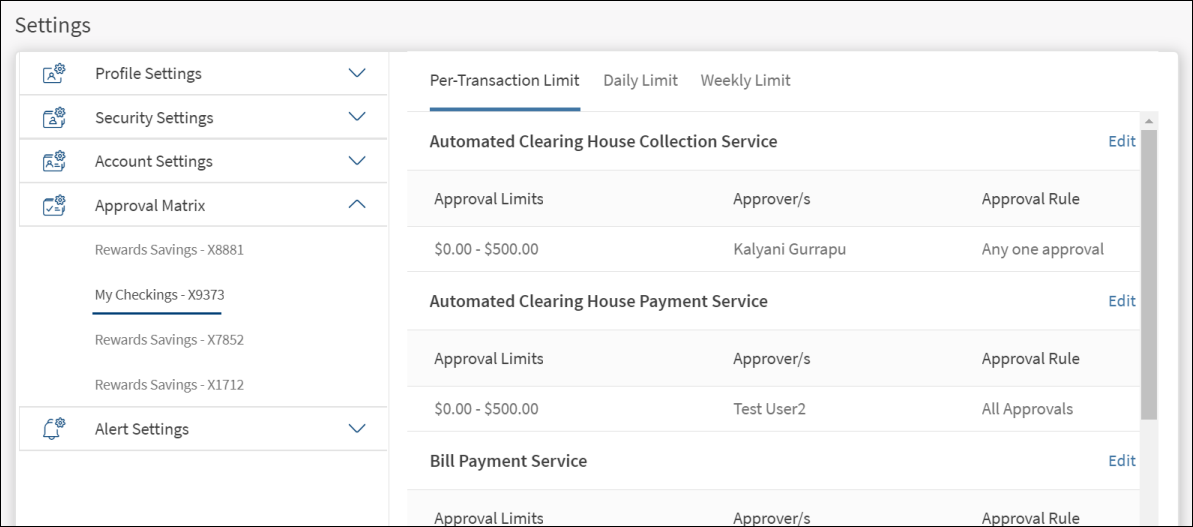
The Approval Matrix tab displays the details on approval limits, approvers, and the approval rule used for each feature which involves transactions and is assigned to the company. Approval rules are required to be set up separately based on the following and a separate tab is provided for each.
- Per-transaction amount (Per-transaction limit)
- Cumulative daily transaction value (Daily limit)
- Cumulative weekly transaction value (Weekly limit)
The application displays the list of assigned accounts on the left pane and the corresponding approval rules (per transaction, daily, and weekly) are defined on the right pane for each feature that involves monetary transactions. Under each of the tabs, the application displays the list of features that require approvals. The range of transaction values, approvers for each range, and the approval rule details are displayed for each feature. Where there are no details, a message, "No approval rules set for this feature " is displayed.
Add or Edit Approval Limits
The form is the same for adding and editing the approval limits. To add or edit, follow these steps:
- Click the required tab:
- Per transaction
- Daily
- Weekly
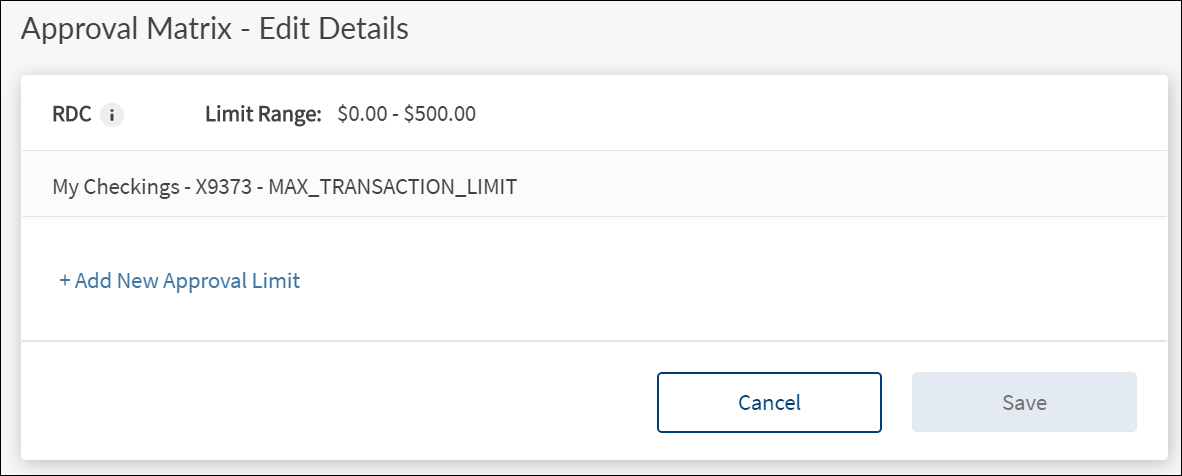
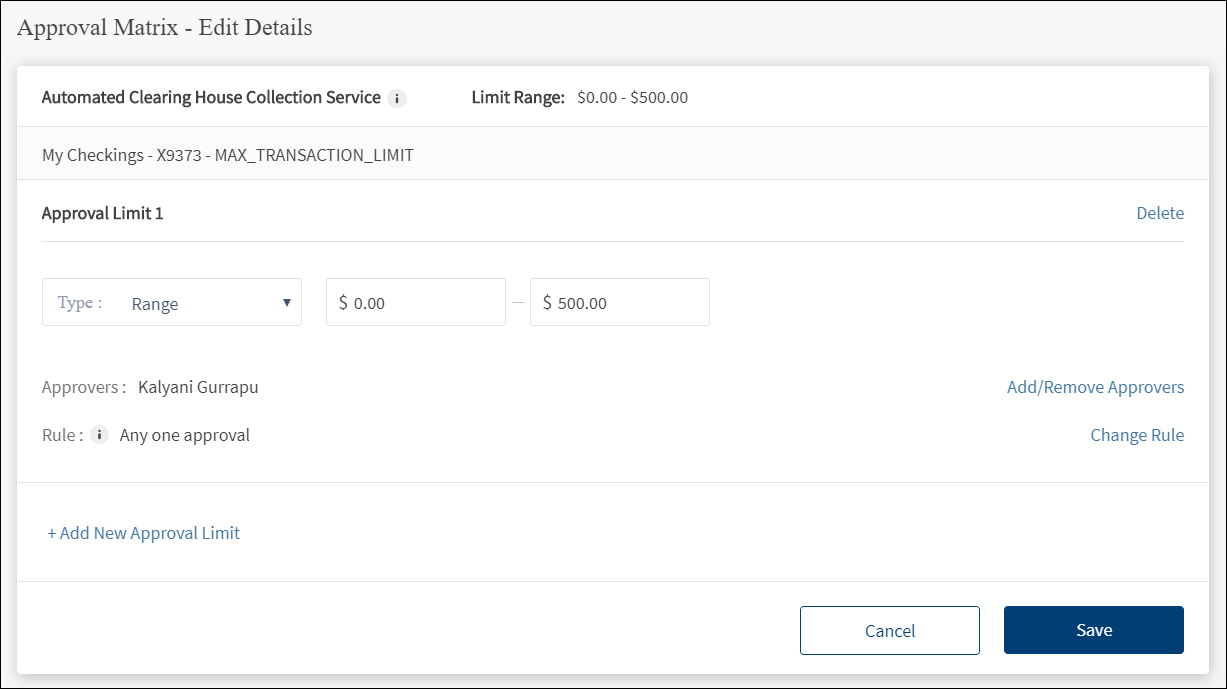
- Click the Edit link placed by the side of the feature (transaction). The Approval Matrix - Edit Details screen is displayed.
- Click Add New Approval Limit.

- Select the Limit Type from the list. It is mandatory. The options are: Range, Upto, and Above.
- Range: Enter the from and to amount range for approval.
NOTE: Every company / business has a limit set for every transactional feature (at per transaction, daily and weekly level). It is necessary that the approval matrix must have rules of approval set for any value of transaction that may be created within the limit allowed to the company / business.
- Upto: Enter the maximum amount for which approval is required.
- Above: Enter the amount above which approval is required
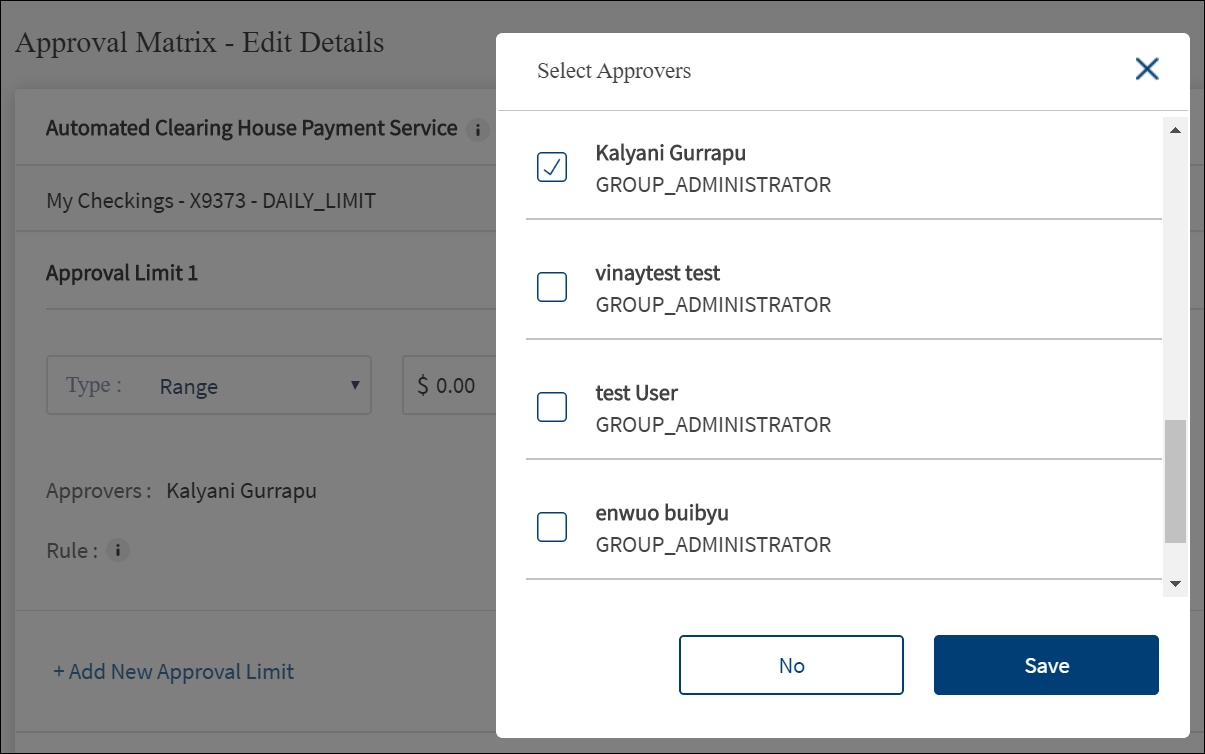
- Click Add/Remove Approvers to add or remove approvers. The Select Approvers list is displayed.

- Select the authorized approver(s) from the list. The application displays only those users that have access permissions for the transaction type on the selected account. It is mandatory to select atleast one approver and depends on the approval rule. If the approval rule says "Any two approvers are required", then it is mandatory to set at least two approvers. The minimum number of names required to be added depends on the approval rule selected. Click Save. The selected name(s) is added as an approver for the transaction.
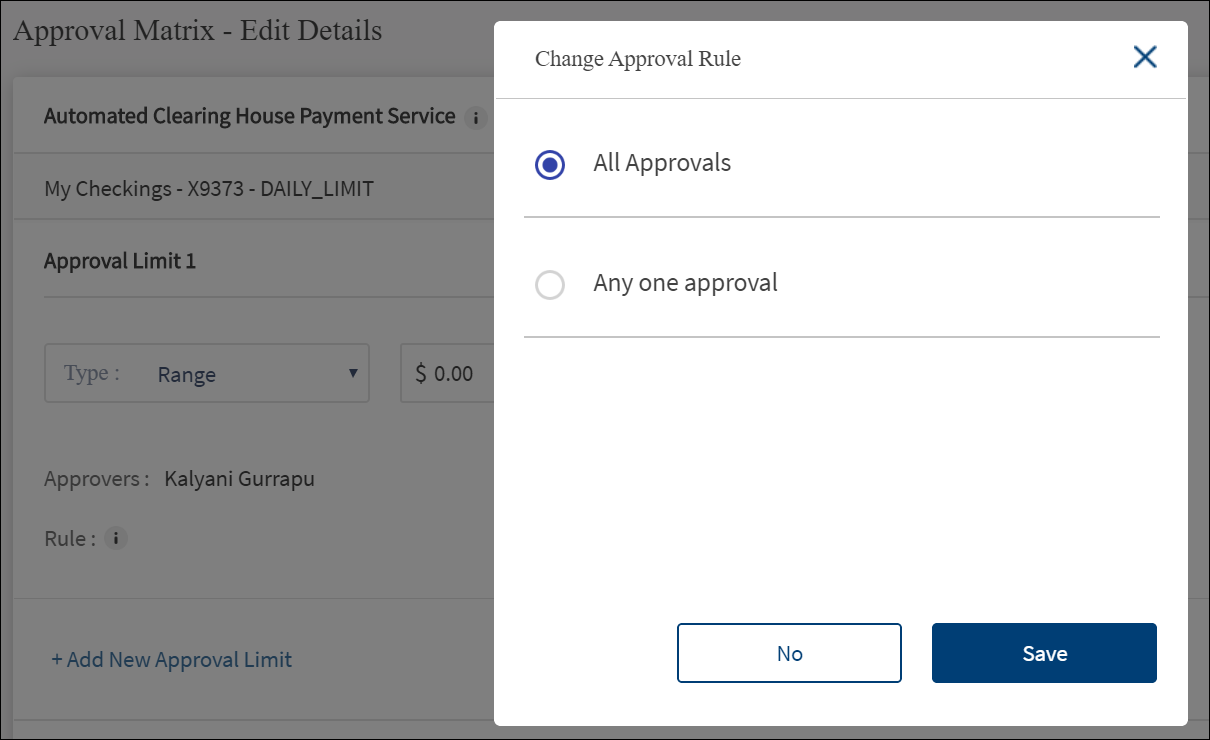
- Click Change Rule to specify the number of approvals required for a transaction that falls within the range of transaction values. The Change Approval Rule screen is displayed.

- Select the approval rule from the list. The options are shown as per the number of available approvers. For a feature and account, if there is only one approver in the company then only All Approvals and Any One Approval options are shown. If there are more approvers, more options are shown. Click Save. The selected rule is added.

- Click Add New Approval Limit to add another limit.
NOTE:
- It is possible to have as many ranges so long as they are not over lapping.
- They do not go beyond what is set as a limit for the company.
- They cover the entire range of values up to the maximum limit allowed to the company
- Examples
- Up to 10,000 - Needs approval from any one of : Bob, Mike, Gary
- 500 - 10,000 - Needs approval from any one of : Bob, Mike, Gary
- 10,000 - 25,000 - Needs approval from any three of : Bob, Mike, Gary, John
- Above 25,000 - Needs approval from John
- Multiple such approval limits can be added to the approval matrix.
- After all the details have been filled, click Save.
Configuration
No configuration available.
APIs
The following APIs are shipped as part of this feature:
| API |
|---|
| getOrganizationAccounts |
| getCustomerAlertCategoryPreference |
| getCustomerTermsAndConditionsPostLogin |
| ApprovalRules |
| getApprovalRules |
| ApprovalMatrix |
| getApprovalMatrix |
| getOrganizationGroupActionLimits |
| getAccountActionCustomerApproverList |
| updateApprovalMatrix |
Add Bookmark
save your best linksView Bookmarks
Visit your best links BACK
BACK


Are you sure you want to log-off?