| Bookmark Name | Actions |
|---|
Installing Holdings Microservice in AWS
This section helps you to install the Holdings Microservice in AWS.
NOTE: Check if python and Jq framework is installed in the system.
Procedure:
- Copy the generated zip file (from target folder) to the installation directory.
- Extract the zip file.
- Execute install-aws.sh shell file to set up the AWS environment.
- In AWS command line, navigate to the installation directory and modify the region information in the install-aws.sh script specific to your installation.EXAMPLE:
--region us-west-2
--event-source-arn arn:aws:kinesis:us-west-2
--uri arn:aws:apigateway:us-west-2:lambda:path/2015-03-31/functions/arn:aws:lambda:us-west-2
After installation, you get the Base URL for testing API.
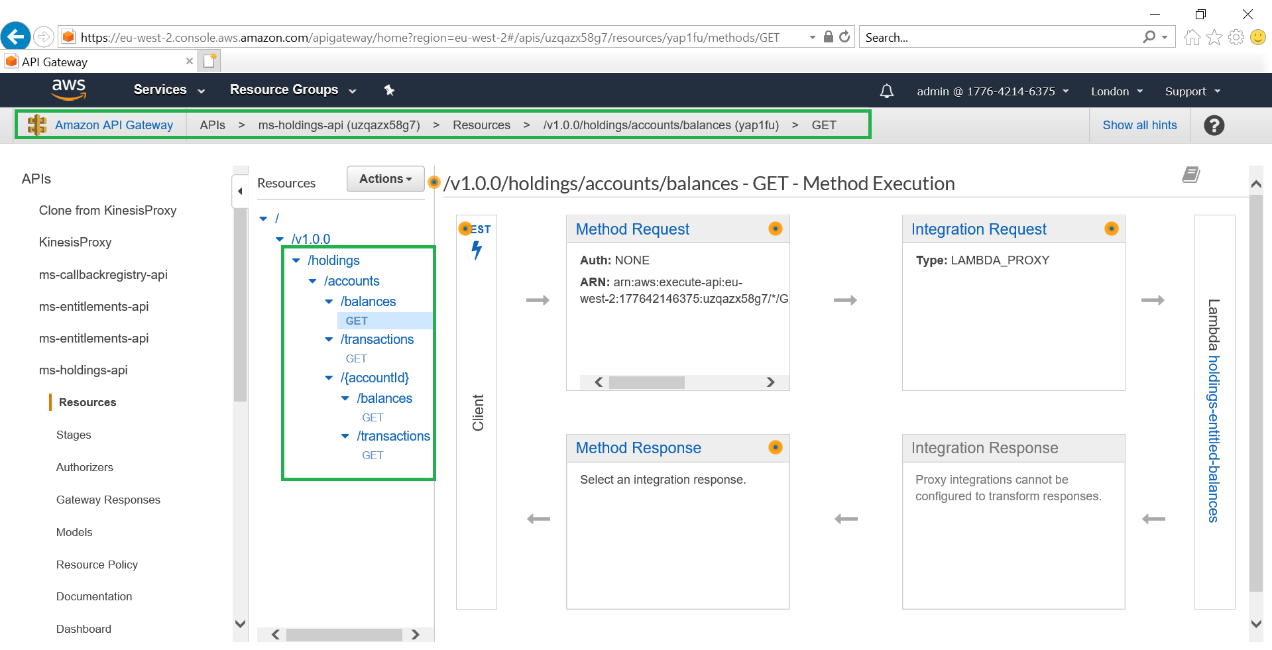
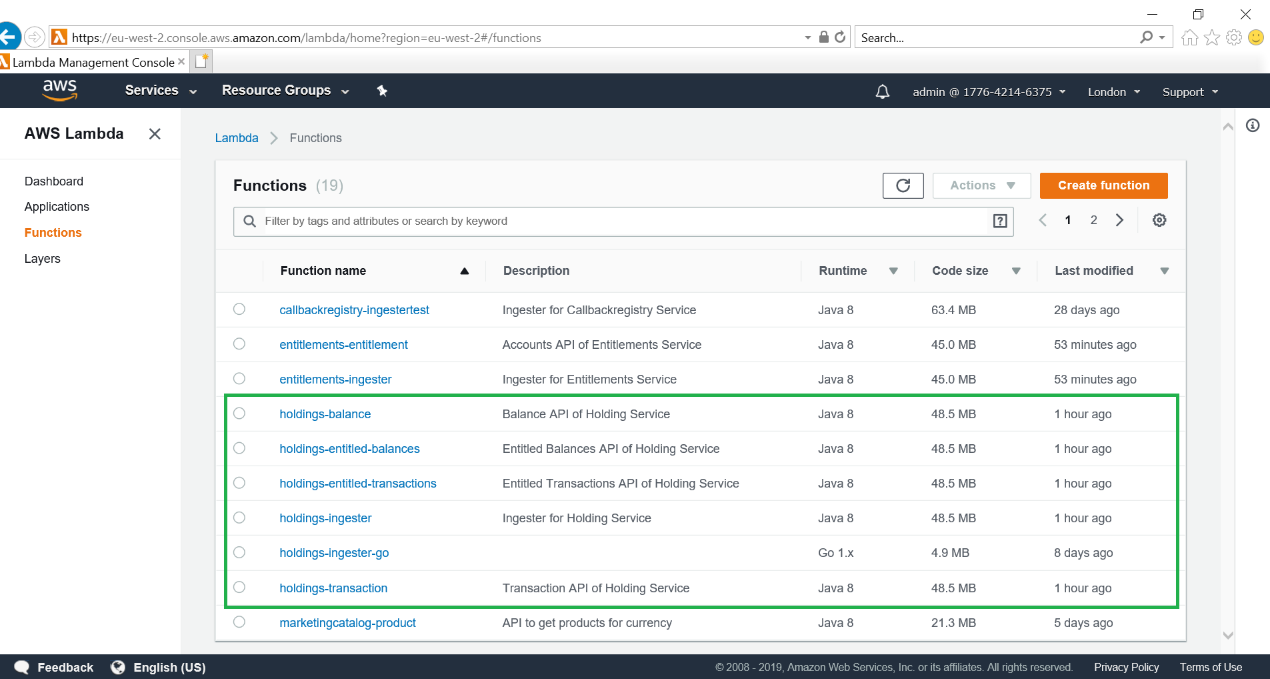
- Log in to AWS portal and verify if the following are created properly.
- API Gateway

- Lambda Function

- API Gateway
Add Bookmark
save your best linksView Bookmarks
Visit your best links BACK
BACK


Are you sure you want to log-off?