| Bookmark Name | Actions |
|---|
Installing and Deploying Oracle Server
This section helps you to install and deploy the Oracle server.
Procedure:
- Install the following:
- Oracle Weblogic Server
- MongoDB
- Kafka
- Create a domain in oracle server by following the steps in the oracle documents.
- After creating the domain, the setDomainEnv.cmd bat is available, which holds the environment variables for the particular domain.
 Add the following variables.
- set DATABASE_KEY=cassandra
- set CASSANDRA_HOST=10.93.23.52
- set CASSANDRA_PORT=9042
- set CASSANDRA_USER=cassandra
- set CASSANDRA_PASS=
- set CASSANDRA_KEYSPACE=ms_entitlement
- set CASSANDRA_SSL=
- set CASSANDRA_KEYSTORE_FILE_PATH=
- set CASSANDRA_KEYSTORE_PASSWORD=
- set className_getEntitlements=com.temenos.microservice.entitlement.function.EntitlementFunctions
- set temn.msf.security.authz.enabled="false"
- set temn.msf.name=Entitlement
- set temn.msf.stream.vendor=kafka
- set temn.msf.schema.registry.url=http://schema-registry:8082
- set temn.msf.stream.kafka.bootstrap.servers=kafka:29093
- set temn.msf.ingest.source.stream=table-update-entitlements
- set temn.msf.ingest.source.stream.consumergroup.id=msf-entitlement-ingester-consumer
- set temn.msf.ingest.sink.error.stream=error-entitlements
- set temn.msf.ingest.sink.error.stream.producer.id=msf-entitlements-ingester-error-producer
- set temn.msf.ingest.event.ingester=com.temenos.microservice.framework.core.ingester.MicroserviceIngester
- set com_temenos_des_event_table_if_events_interface_table_IF_EVENTS_INTERFACE_TABLEEvent=com.temenos.microservice.entitlement.ingester.EntitlementIngesterUpdater
- After setting the environment variables, run setDomainEnv.cmd and start the server.
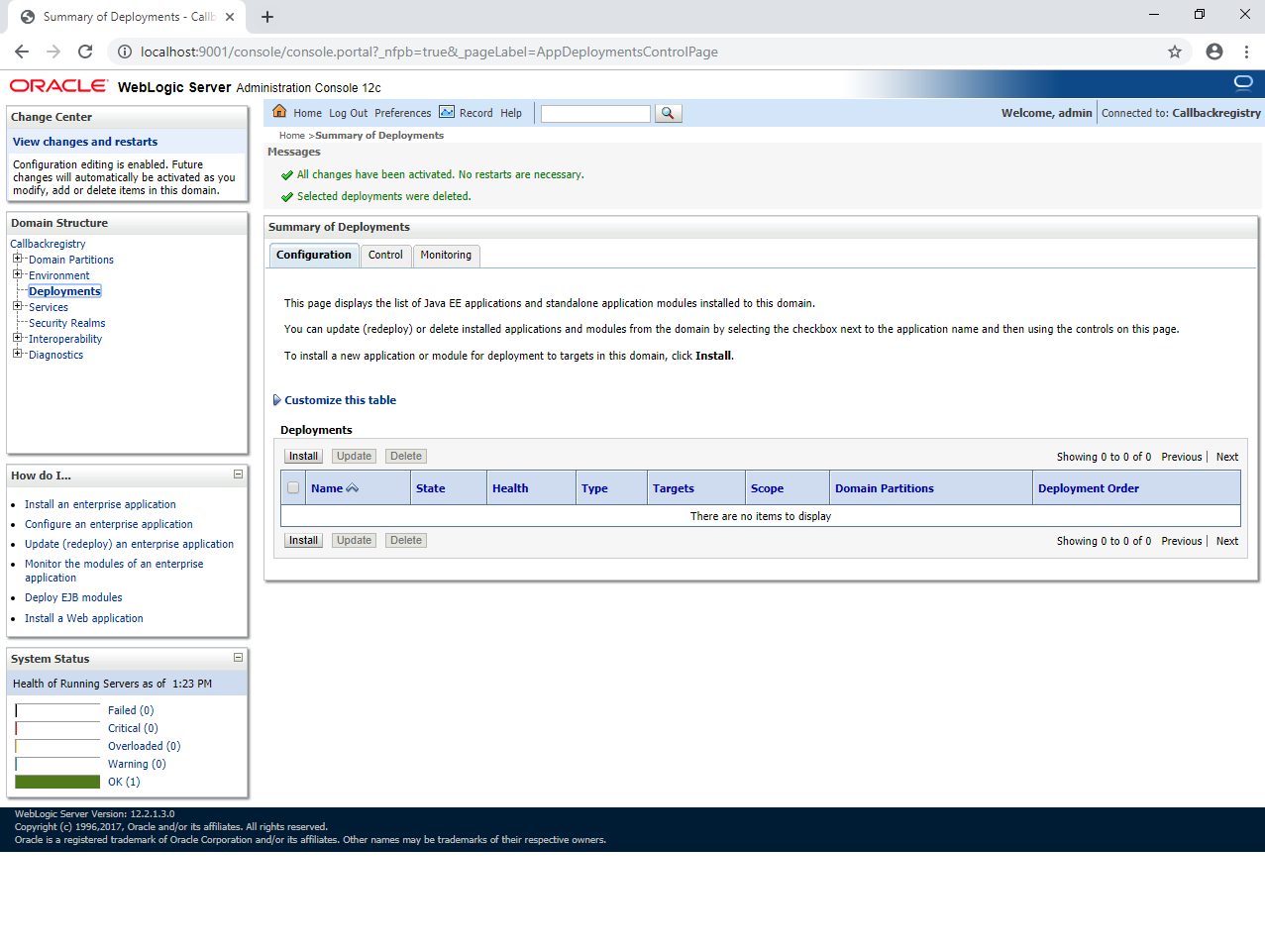
- Go to http://localhost:9001/console.

- Click the install button and deploy ms-entitlement-j2ee.war. Once it is successfully installed, the system displays the status as OK in the deployments table.
You have successfully installed and deployed the war.
- Connect with the cassandra db through any of the user interface like Datastax devcenter and check if the tables have been created properly with the db connection details you have specified in the environment variables.
Once this verification is done, you can execute the entitlement api and ingester.
Add Bookmark
save your best linksView Bookmarks
Visit your best links BACK
BACK


Are you sure you want to log-off?