| Bookmark Name | Actions |
|---|
Installing Microservices by Enabling Authentication and Authorisation Service
This section helps you to install the microservice in azure by enabling the authentication and authorisation Service.
Procedure:
- Create the ENTITLEMENT_SERVICE_HOME directory.
- Extract the ms-entitlement-package-azure-<release>.zip release bundle to the ENTITLEMENT_SERVICE_HOME directory.
- To make the microservice up and running, execute the following command to create AZURE resources.
- Windows - Install.bat
- Linux - Install.sh
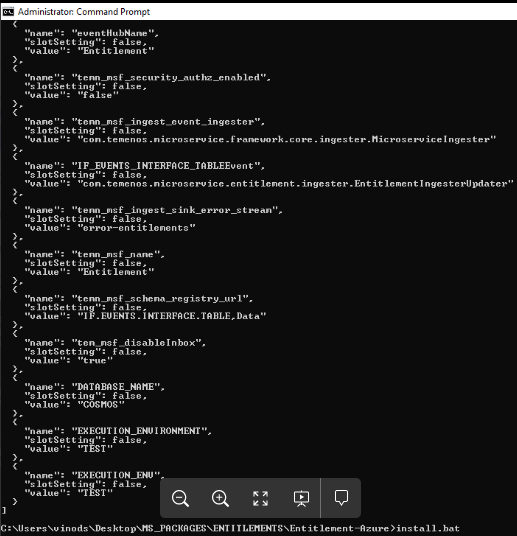
- Configure the environment variables available in configuration section of the function-app as follows.
Variable Name
Variable Value
Description
temn_runtime_env
AZURE
Specifying the runtime environment as AZURE
POLICY_CALLBACK_ENABLED
true
Enabling the policy callback mechanism
PDP_CONFIG
classpath:xacml/entitlements-pdp-callback-config.xml
Mapping the pdp-callback configuration file available in classpath
temn_msf_security_authz_xacml_policyset_id
ALL
In-order to fetch all the XACML policy files to parse the mapped actions
temn_config_service_base_path
https://genericconfigapp.azurewebsites.net/api/v1.0.0
Generic-Config microservice end point base URL
temn_config_service_resource_path
system/configurationGroups/{groupId}/configuration
Generic-Config microservice resource path to get all configurations
temn_config_service_api_key
QZbOkWsOruRE/tq7GzDQpfvZKKh7Ia1tJnH4/GxNCo/VN1AnJcMJ6g==
Generic-Config microservice API_KEY value
EXECUTION_ENVIRONMENT
TEST
Remove this variable so that, actual API will call out
- To stop and remove the existing resources, execute the following command.
- Windows - Destroy.bat
- Linux - Destroy.sh
Add Bookmark
save your best linksView Bookmarks
Visit your best links BACK
BACK


Are you sure you want to log-off?